Badge
A badge is a small capsule with a short string in it: a count, a status, a unit. You use it to put a number or a one-word state next to something else, most often as the trailing accessory of a list row.
A badge only displays. It is not tappable, not focusable and has no action.
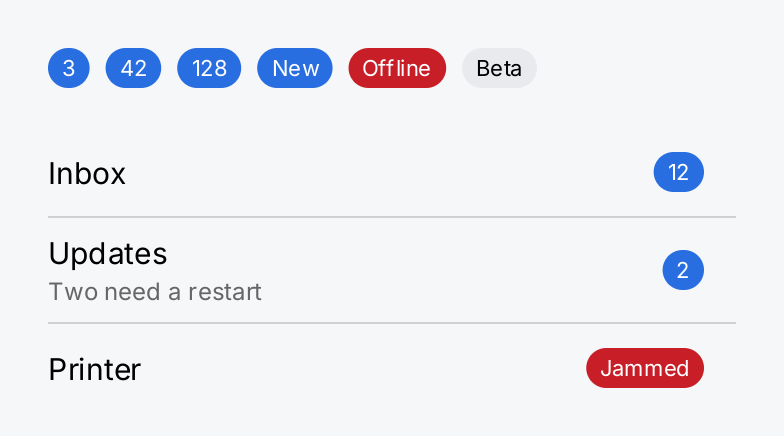
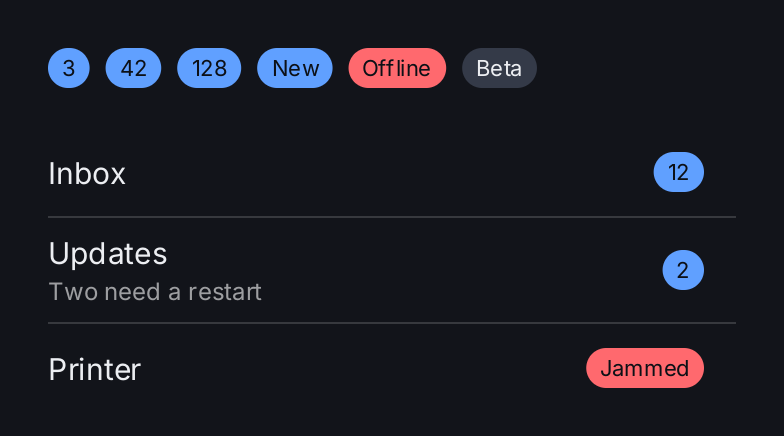
return ui.VStack(
	ui.HStack(
		ui.Badge("3"),
		ui.Badge("42"),
		ui.Badge("128"),
		ui.Badge("New"),
		ui.Badge("Offline").Color(ui.ColorDanger),
		ui.Badge("Beta").Color(ui.ColorControl).Foreground(ui.ColorLabel),
	).Gap(8).Align(geom.Center).PaddingInsets(geom.Insets{Left: 16, Right: 16}),
	ui.List(
		ui.Row("Inbox").Accessory(ui.Badge("12")).Key("inbox"),
		ui.Row("Updates").Subtitle("Two need a restart").Accessory(ui.Badge("2")).Key("updates"),
		ui.Row("Printer").Accessory(ui.Badge("Jammed").Color(ui.ColorDanger)).Key("printer"),
	).Frame(360, geom.Unbounded()),
).Gap(20)
Full demo on GitHub ↗
· run it with go run ./docs/gallery -demo badge
Usage
ui.Badge(text) creates a badge. Pass it to RowView.Accessory to put it at the trailing edge of a row:
ui.List(
	ui.Row("Updates").Accessory(ui.Badge("3")).Key("updates"),
)
Size
The height is always ui.BadgeHeight, 20 logical pixels, whatever the text is, so badges in a column line up.
The corner radius is half the height, which makes the badge a capsule. The width is the width of the text plus an
inset at each end, and never less than the height: a single digit gives a circle.
The text is one line and never ends in an ellipsis. A long string gives a wide badge, because a count cut down
to “1…” would show the wrong number. Keep the text short; for text that may need truncating, use a
Text with MaxLines. A badge that its parent squeezes narrower than its text keeps only the first
line the text breaks into, so later words drop out without a mark, and a single word too long for the space
draws past the badge.
Twenty pixels is below the minimum hit target of a control. That is fine because a badge is not a control. If you need a badge that reacts to a tap, make it the label of a Button.
Color
By default a badge draws ui.ColorOnAccent text on a ui.ColorAccent fill. This pair stays legible in the light
and the dark theme. Color replaces the fill and Foreground replaces the text color:
ui.Badge("Offline").Color(ui.ColorDanger)
ui.Badge("Beta").Color(ui.ColorControl).Foreground(ui.ColorLabel)
When you change one of the two, check whether the other still reads on it in both themes. With the built-in
themes, the default text color reads on ui.ColorDanger in both, which is why the first line above leaves it
alone. On ui.ColorControl it does not, so the second line sets ui.ColorLabel. Use semantic colors rather than
fixed RGB values so the badge follows the theme; see Theming.
API
Constructors
| Constructor | Description |
|---|---|
func Badge(text string) BadgeView | Badge returns a badge showing text. |
Methods
| Method | Description |
|---|---|
Color(c Color) BadgeView | Color sets the capsule fill, replacing ColorAccent. |
Foreground(c Color) BadgeView | Foreground sets the text colour, replacing ColorOnAccent. |
Common modifiers: Flex, Key. See Modifiers.