Segmented Control
A segmented control is a row of mutually exclusive choices. A sliding indicator marks the chosen one. Use it for a small, fixed set of alternatives that are all worth showing at once, typically three or four, such as “which of these views am I looking at”.
Every segment is always on screen and all segments share the width equally. The control does not scroll, so it is the wrong choice for a long list or for choices that change at runtime.
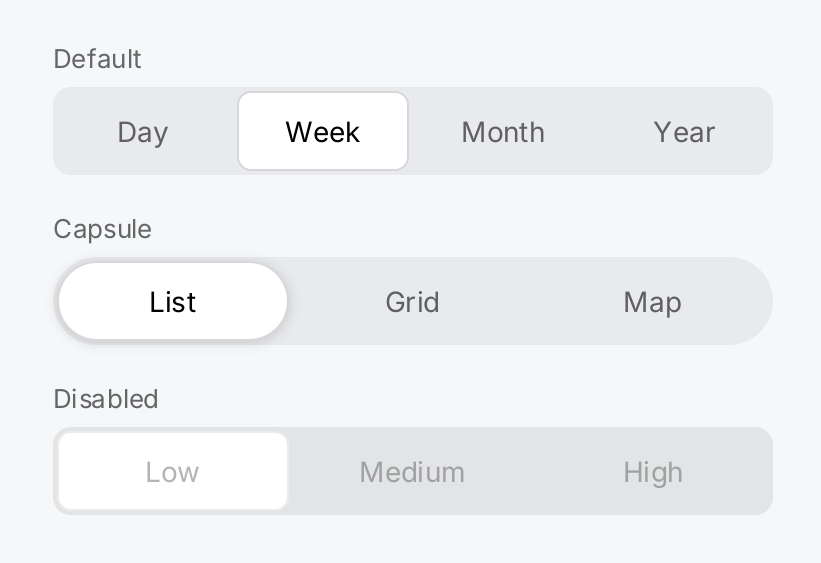
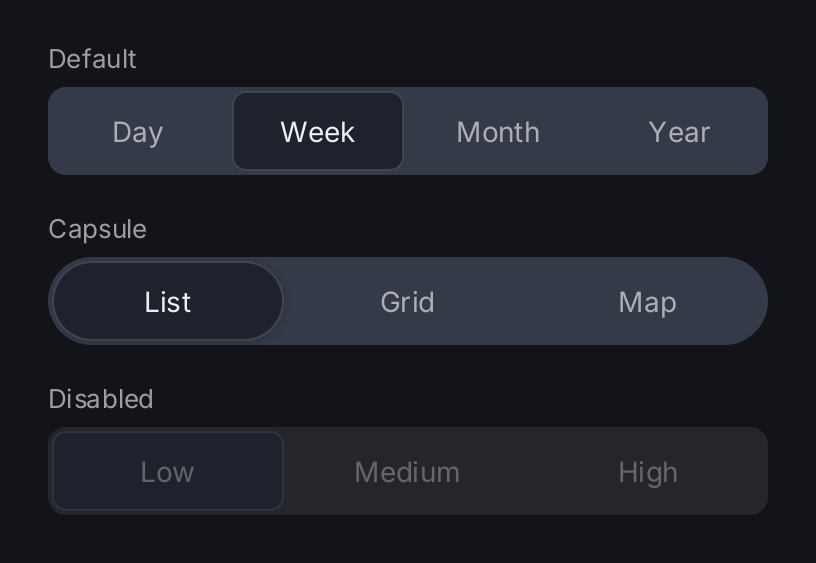
period := ctx.State("period", 1)
view := ctx.State("view", 0)

labeled := func(caption string, control gift.View) gift.View {
	return ui.VStack(
		ui.Text(caption).FontSize(13).Foreground(ui.ColorSecondaryLabel),
		control,
	).Gap(6).Align(geom.Alignment{X: 0})
}

return ui.VStack(
	labeled("Default", ui.SegmentedControl(ctx.Read(period), []string{"Day", "Week", "Month", "Year"}, period.Set).
		Label("Period")),
	labeled("Capsule", ui.SegmentedControl(ctx.Read(view), []string{"List", "Grid", "Map"}, view.Set).
		Capsule(true).
		Label("View")),
	labeled("Disabled", ui.SegmentedControl(0, []string{"Low", "Medium", "High"}, nil).
		Disabled(true)),
).Gap(18).Frame(360, geom.Unbounded())
Full demo on GitHub ↗
· run it with go run ./docs/gallery -demo segmented-control
Usage
State flows in and out
ui.SegmentedControl(selected, labels, onChange) takes the index of the selected segment and calls onChange with
the index the user asks for. The control keeps no selection of its own: store the index in state and pass the
setter as the callback.
tab := ctx.State("tab", 0)
ui.SegmentedControl(ctx.Read(tab), []string{"Day", "Week", "Month"}, tab.Set)
onChange is not called when the user picks the segment that is already selected. The labels slice is not
retained; the control turns the strings into text views during the build.
- An empty
labelsslice panics. - A
selectedindex outside the range draws no indicator and is not clamped. The control reports nothing until the user picks a segment. - A nil
onChangemakes the control inert. For a control that is unavailable, preferDisabled(true): it skips the control in the focus order and draws it in its disabled colors.
Input
The user taps a segment. The tap counts where the finger lifts, so a finger that lands on the wrong segment can slide to the right one before it lifts.
The whole control is one focus stop. Left and up select the previous segment, right and down the next one, and home and end jump to the ends. The arrows stop at the ends instead of wrapping. The selection changes immediately, without a confirming key press.
When the selection changes, the indicator slides over ui.ControlAnimation, no matter who changed it.
Sizing
The segments divide the width equally, and each label is centered in its segment. The control asks for at least
ui.ControlHitTarget (44 logical pixels) of height. A Frame or a parent may make it shorter, but never shorter
than its labels; below that it keeps the larger size and reports an overflow.
When the parent offers a bounded width, the control takes all of it. In a VStack that is the full width of the
stack. A stack measures an inflexible child with an unbounded main axis, so in an HStack the control takes its
natural width instead: each segment is as wide as the widest label plus its padding. Use Flex, Frame,
MinWidth or MaxWidth to choose a width.
ui.HStack(
	ui.Text("Quality"),
	ui.SegmentedControl(ctx.Read(q), []string{"Low", "Medium", "High"}, q.Set).Flex(1),
).Gap(12)
Appearance
Capsule(true) rounds the tray and the indicator fully and lifts the indicator with a soft shadow. The default is
a rounded rectangle. Font and FontSize apply to every label; FontSize is the em size in pixels and panics
unless it is positive and finite. The selected label draws in ui.ColorLabel, the
others in ui.ColorSecondaryLabel, so the control follows the theme.
Labels and tests
Label sets the accessible name of the control as a whole, such as “Period”. It changes nothing visual. Each
segment is an ordinary text view that carries its own string as its label, so a test finds a segment by its text.
API
Constructors
| Constructor | Description |
|---|---|
func SegmentedControl(selected int, labels []string, onChange func(int)) SegmentedControlView | SegmentedControl returns a segmented control showing labels with segment selected marked, and calling onChange with the index the user asked for. |
Methods
| Method | Description |
|---|---|
Capsule(v bool) SegmentedControlView | Capsule rounds the tray and the indicator fully and lifts the indicator with a soft shadow, the segmented control of iOS 26. |
Disabled(v bool) SegmentedControlView | Disabled takes the control out of input. |
Font(v Font) SegmentedControlView | Font sets the typeface of every label, replacing the default font. |
FontSize(v float32) SegmentedControlView | FontSize sets the em size of every label in pixels, as TextView.FontSize does. |
Label(v string) SegmentedControlView | Label sets the accessible name of the control as a whole — what the choice is about, as opposed to the choices, which are the segments’ own labels. |
Common modifiers: Flex, Frame, Key, MaxWidth, MinWidth. See Modifiers.
Related
- Toggle and Slider, the other value controls
- Tab Bar to switch between the main screens of an app
- Row, which can hold a segmented control as its accessory
- State, Input and Focus, Animation, Testing
- Kitchen sink example