Slider
A slider picks a number from a range by dragging a knob along a track. The filled part of the track, from the minimum to the knob, shows the value. Use it for quantities where the rough position matters more than the exact number, such as a volume, a brightness or a zoom level.
The slider holds no value of its own. You pass the current value in and get the new one back through a callback, so the value lives in your state.
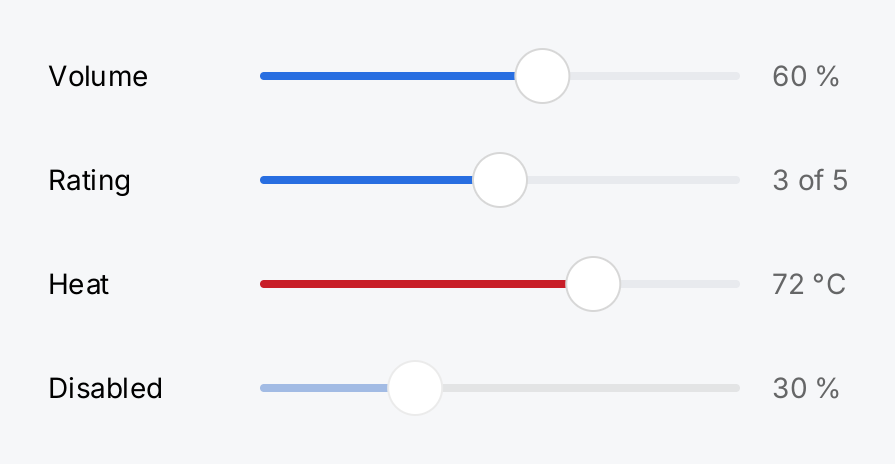
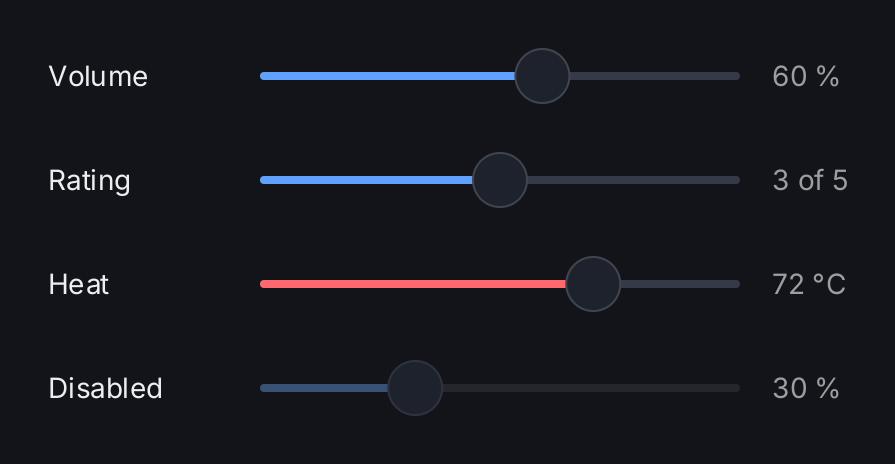
volume := ctx.State("volume", 0.6)
rating := ctx.State("rating", 3.0)
heat := ctx.State("heat", 72.0)
v, r, h := ctx.Read(volume), ctx.Read(rating), ctx.Read(heat)

row := func(label string, slider ui.SliderView, value string) gift.View {
	return ui.HStack(
		ui.Text(label).MinWidth(90),
		slider.Frame(240, geom.Unbounded()),
		ui.Text(value).Foreground(ui.ColorSecondaryLabel).MinWidth(48),
	).Gap(16).Align(geom.Center)
}

return ui.VStack(
	row("Volume",
		ui.Slider(v, volume.Set).Label("Volume"),
		fmt.Sprintf("%.0f %%", v*100)),
	row("Rating",
		ui.Slider(r, rating.Set).Range(1, 5).Step(1).Label("Rating"),
		fmt.Sprintf("%.0f of 5", r)),
	row("Heat",
		ui.Slider(h, heat.Set).Range(0, 100).Tint(ui.ColorDanger).Label("Heat"),
		fmt.Sprintf("%.0f °C", h)),
	row("Disabled",
		ui.Slider(0.3, nil).Disabled(true),
		"30 %"),
).Gap(8)
Full demo on GitHub ↗
· run it with go run ./docs/gallery -demo slider
Usage
State flows in and out
ui.Slider(value, onChange) draws value and calls onChange with the value the user asks for. Nothing moves
until you store it. Read the state with ctx.Read and pass its setter:
brightness := ctx.State("brightness", 0.5)
return ui.Slider(ctx.Read(brightness), brightness.Set).Label("Brightness")
During a drag, onChange runs for every step, and every call rebuilds the tree. The slider keeps the drag going
across these rebuilds, so you do not have to do anything special.
Because the slider always draws the value you pass, you can clamp or refuse a value in the callback, and the knob shows what your model holds:
temp := ctx.State("temp", 21.0)
return ui.Slider(ctx.Read(temp), func(v float64) {
	temp.Set(min(v, 26))
}).Range(16, 30).Step(0.5)
A value outside the range is drawn at the nearest end but is not changed. Slider panics on a NaN or an infinite
value, so check divisions by a total that can be zero before you pass the result in. A negative value is fine.
Range and step
The default range is 0 to 1. Range(min, max) sets other ends. A descending range, with max below min,
reverses the control. Two equal ends give a slider that cannot move. Both ends must be finite, as Range panics
otherwise; negative ends are fine, so an offset from -10 to 10 is Range(-10, 10).
Step(v) rounds the value to multiples of v, counted from the minimum. Without a step, the slider is continuous.
Operation
The user drags the knob, or taps the track and the knob jumps to the finger and keeps following it. With focus, the arrow keys move the value: right and up increase it, left and down decrease it. Each press moves by the step, or by a tenth of the range when no step is set. Home and End go to the ends.
The knob does not animate. A value that changes in code makes the knob jump.
Size
A slider has no natural width. In a bounded parent it takes the width it is offered. In an HStack, where the
width is unbounded, it is 200 pixels wide. Use Flex to let it fill the remaining space of a row, or Frame for
a fixed width:
ui.HStack(
	ui.Text("Volume"),
	ui.Slider(ctx.Read(vol), vol.Set).Flex(1),
).Gap(12)
Its height is the finger-sized ui.ControlHitTarget of 44 pixels. Frame can set another height, but the slider
never gets smaller than its 28 pixel knob; a smaller frame is reported as an overflow.
Appearance and accessibility
Tint replaces the accent color of the filled track. It accepts a semantic color such as ui.ColorDanger.
Disabled(true) draws the slider faded, removes it from the focus order and ignores input. Prefer it over a nil
callback: a slider with a nil onChange still focuses and reacts to the pointer but never changes the value.
Label sets the accessible name. It is never drawn, so put a visible ui.Text next to the slider as well.
API
Constructors
| Constructor | Description |
|---|---|
func Slider(value float64, onChange func(float64)) SliderView | Slider returns a slider showing value and calling onChange with the value the user asked for. |
Methods
| Method | Description |
|---|---|
Disabled(v bool) SliderView | Disabled takes the slider out of input. |
Label(v string) SliderView | Label sets the accessible name of the slider: what a person would call the quantity. |
Range(min, max float64) SliderView | Range sets the ends of the value range, replacing the default of 0 to 1. |
Step(v float64) SliderView | Step quantises the value to multiples of v counted from the minimum, for the pointer and for the keyboard alike. |
Tint(v Color) SliderView | Tint sets the colour of the filled part of the track, replacing ColorAccent. |
Common modifiers: Flex, Frame, Key, MaxWidth, MinWidth. See Modifiers.
Related
- Toggle for an on and off choice.
- Segmented Control for a choice between a few named values.
- Progress Bar to show a value the user cannot change.
- Row to put a slider into a settings list.
- State for how
ctx.Statestores the value. - Input and Focus for the focus order and keyboard input.
- Kitchen Sink has a volume slider in a settings list.