Toggle
A toggle is a switch for a setting that takes effect at once, such as Wi-Fi or a dark theme. Flipping it is the action itself; there is no “apply” button after it. Use it in settings lists and forms where every change should apply immediately.
The switch draws a track and a knob and nothing else. It has no text of its own: you put the label next to it,
usually in a row or an HStack.
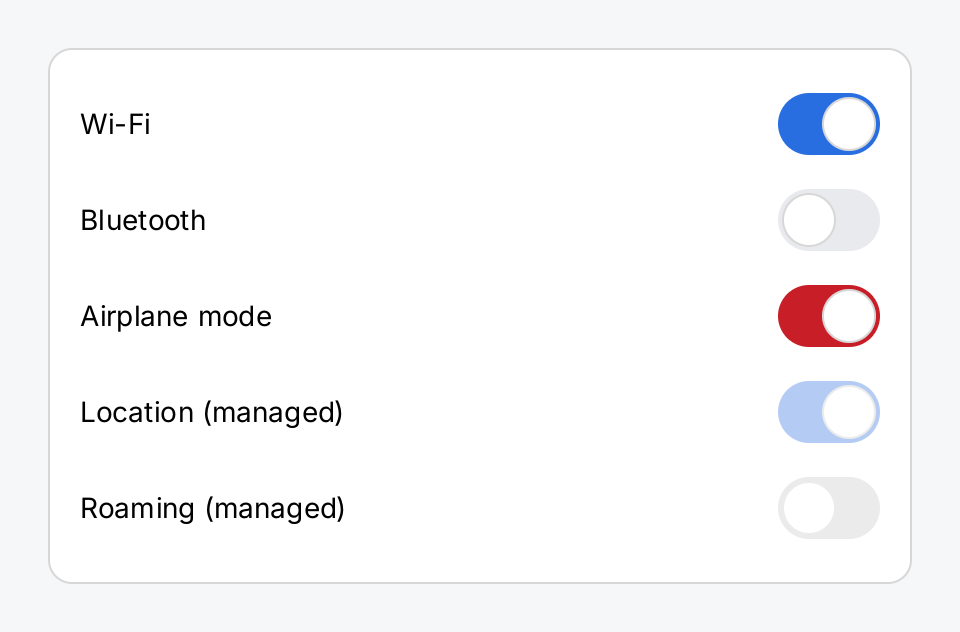
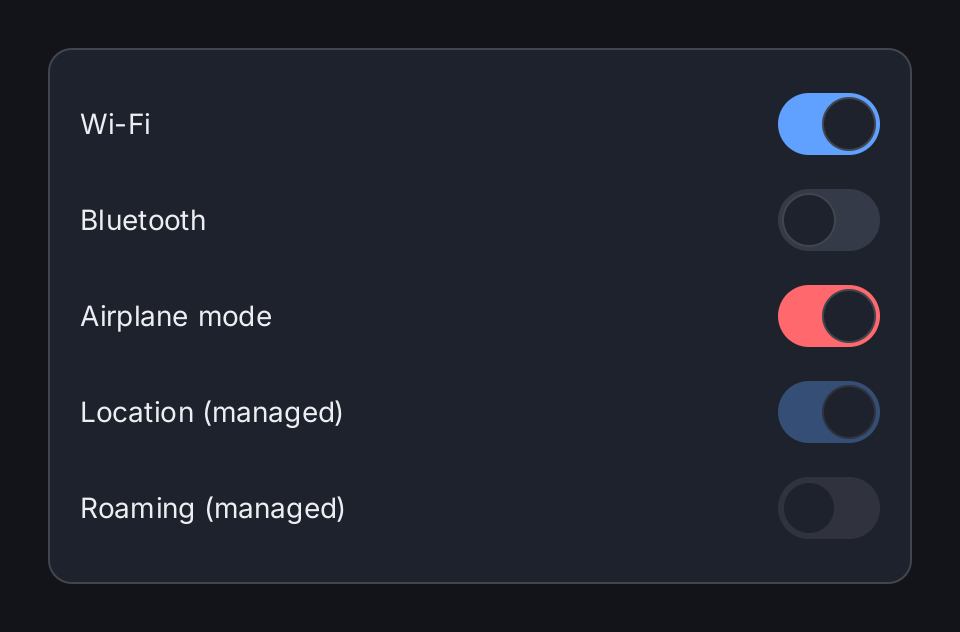
wifi := ctx.State("wifi", true)
bluetooth := ctx.State("bluetooth", false)
airplane := ctx.State("airplane", true)

row := func(title string, toggle ui.ToggleView) gift.View {
	return ui.HStack(ui.Text(title), ui.Spacer(), toggle.Label(title)).
		MinWidth(300).
		Align(geom.Alignment{X: 0, Y: 0.5})
}

return ui.Card(
	row("Wi-Fi", ui.Toggle(ctx.Read(wifi), wifi.Set)),
	row("Bluetooth", ui.Toggle(ctx.Read(bluetooth), bluetooth.Set)),
	row("Airplane mode", ui.Toggle(ctx.Read(airplane), airplane.Set).Tint(ui.ColorDanger)),
	row("Location (managed)", ui.Toggle(true, nil).Disabled(true)),
	row("Roaming (managed)", ui.Toggle(false, nil).Disabled(true)),
).Gap(4)
Full demo on GitHub ↗
· run it with go run ./docs/gallery -demo toggle
Usage
State flows in and out
ui.Toggle(on, onChange) draws the value on and calls onChange with the value the user asked for. The switch
keeps no state of its own. Nothing moves until you store the new value and the view rebuilds:
dark := ctx.State("dark", false)
ui.Toggle(ctx.Read(dark), func(on bool) { dark.Set(on) }).Label("Dark mode")
Because State.Set already has the shape func(bool), ui.Toggle(ctx.Read(dark), dark.Set) works as well.
Read the value with ctx.Read, not with dark.Get(). Get registers no dependency, so Set does not rebuild
the view and the switch does not move until something else rebuilds it. See State.
Since the application decides, a switch can also refuse a change. If onChange does not store the value, the
switch stays where it is:
locked := ctx.State("locked", true)
ui.Toggle(ctx.Read(locked), func(on bool) {
	if !isAdmin {
		return // nothing is stored, so the switch stays where it is
	}
	locked.Set(on)
}).Label("Kiosk lock")
The knob slides over ui.ControlAnimation (180 ms) whenever the value changes, no matter who changed it: a tap,
a key, or your code setting the state from a timer.
Operating it
Tap the switch, or focus it and press space or enter. A press captures the pointer like a button: a finger that slides off before it lifts changes nothing. The knob cannot be dragged from one side to the other; a tap does the job.
Label
Label sets the accessible name of the switch, the name a person would give the setting. It is never drawn. Set
it anyway: the switch has no text, so without it nothing in the view tree says which setting it controls.
Disabled and inert
Disabled(true) takes the switch out of the focus order and out of input. The off track turns to ui.ColorControlDisabled,
and an on switch keeps its tint at a third of its strength, so the user can still see which way it points.
A nil onChange makes a switch inert but leaves it focusable and looking active. Prefer Disabled for a setting
that is unavailable, because that is the state the user can see.
In a list row
A switch is the typical accessory of a row. Tapping the switch flips it without also running
the row’s OnTap. RowView.Disabled does not disable the accessory, so disable both:
ui.List(
	ui.Row("Notifications").
		Accessory(ui.Toggle(ctx.Read(notify), notify.Set).Label("Notifications").Disabled(managed)).
		Disabled(managed),
)
Color and size
Tint replaces the accent color of the on track, for example with ui.ColorDanger. It accepts a semantic color.
The off track and the knob cannot be changed per switch. They use the ui.ColorControl and ui.ColorSurface
roles of the theme, so they follow the theme like every other control.
The drawn switch always has the same size, 51 by 31 logical pixels. Its hit area asks for at least
ui.ControlHitTarget (44 pixels) on both axes, so the space just above and below the track also reacts to a
finger. A smaller Frame or a tight constraint from the parent wins, down to the size of the track; only below
that does the toggle report an overflow. Frame, MinWidth and MinHeight make the hit area larger; the track stays the same size and stays
centered.
API
Constructors
| Constructor | Description |
|---|---|
func Toggle(on bool, onChange func(bool)) ToggleView | Toggle returns a switch showing on and calling onChange with the value the user asked for. |
Methods
| Method | Description |
|---|---|
Disabled(v bool) ToggleView | Disabled takes the switch out of input. |
Label(v string) ToggleView | Label sets the accessible name of the switch: what a person would call the setting. |
Tint(v Color) ToggleView | Tint sets the colour of the track while the switch is on, replacing ColorAccent. |
Common modifiers: Flex, Frame, Key, MinHeight, MinWidth. See Modifiers.
Related
- Row and List for settings screens
- Segmented Control for a choice between more than two options
- Slider for a value from a range
- Button
- State
- Input and Focus
- Theming
- Kitchen sink example