File Picker
The file picker lets the person open one or several files, choose a folder or pick a path to save to. It lives in
the package ui/filepicker and is made of ordinary gift views, so it runs inside your application’s window, works
with touch as well as with a mouse and a keyboard, and needs no dialog from the operating system. That matters on a
fullscreen kiosk, which often has no desktop that could show one.
The picker fills the space it is given and has no frame of its own. You usually present it in a
Sheet; a Modal with a Frame or a screen of a
navigation stack work as well.
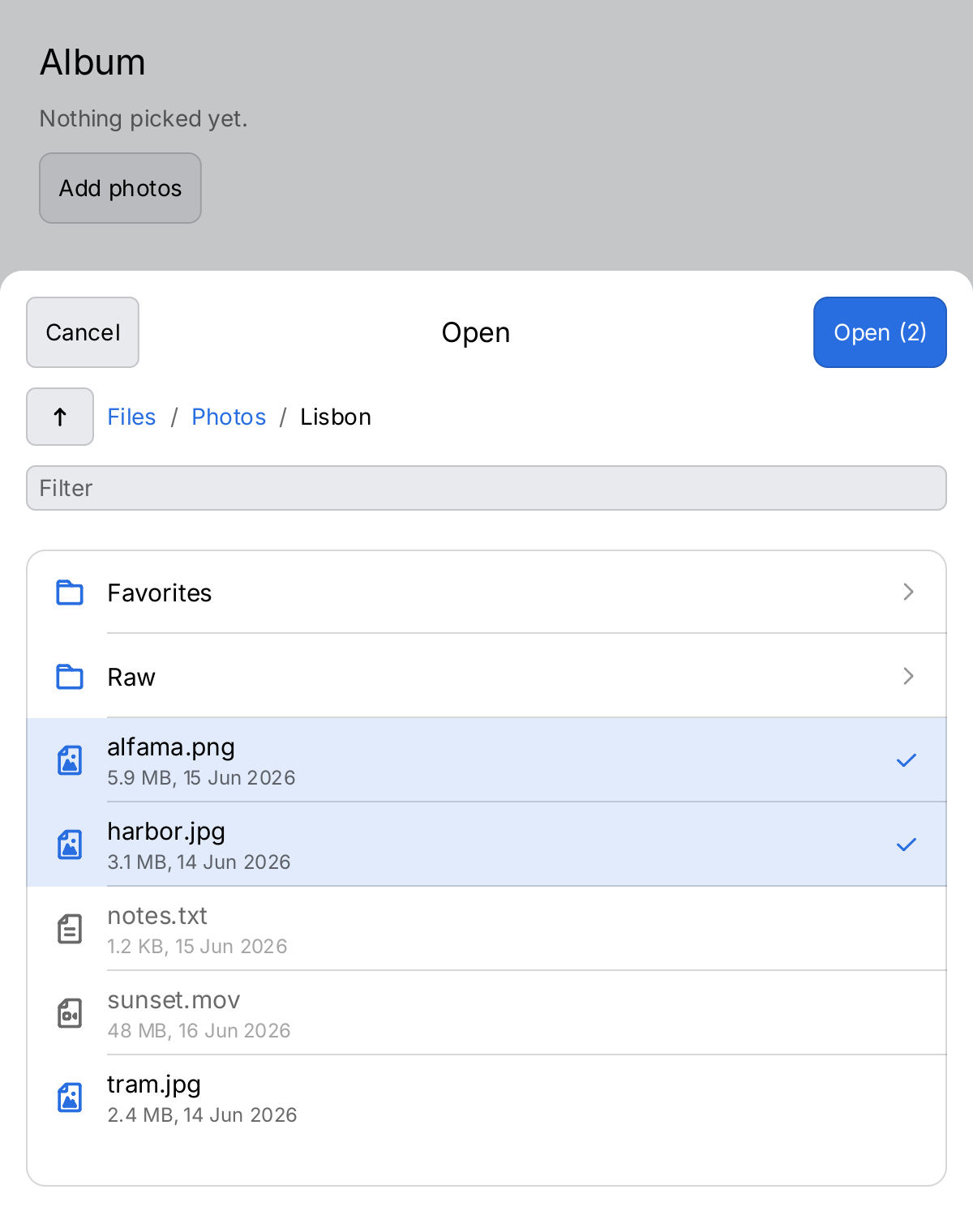
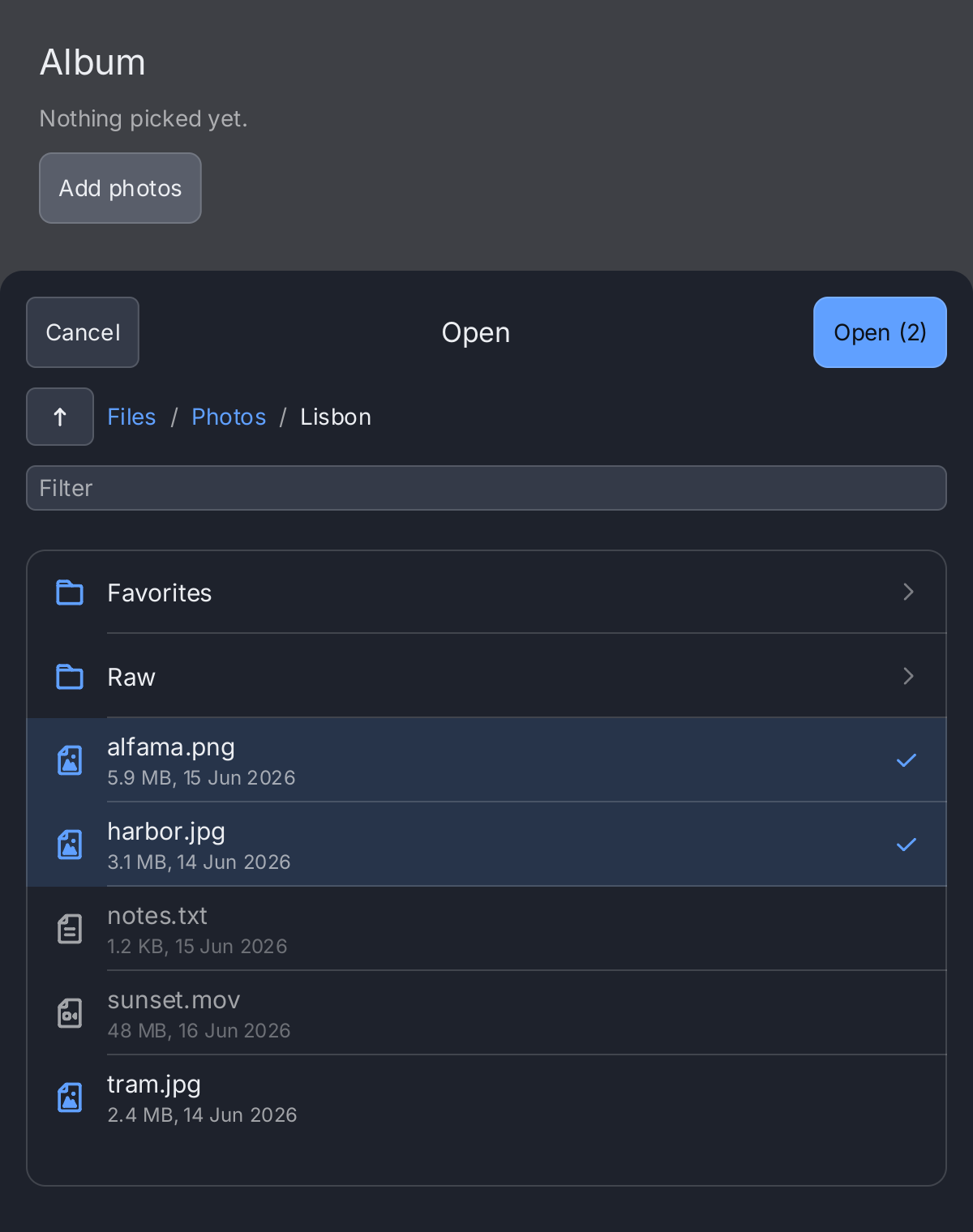
// The application owns whether the picker is up and what was picked.
picking := ctx.State("picking", true)
picked := ctx.State("picked", "Nothing picked yet.")

screen := ui.VStack(
	ui.Text("Album").FontSize(22),
	ui.Text(ctx.Read(picked)).Foreground(ui.ColorSecondaryLabel),
	ui.Button(ui.Text("Add photos"), func() { picking.Set(true) }).
		CornerRadius(8).MinHeight(ui.ControlHitTarget),
).Gap(12).Padding(24)

// Paths are fs.FS paths relative to the root of files. Pictures can be
// picked; the other files are listed, disabled.
picker := filepicker.New(files,
	func(paths []string) {
		picking.Set(false)
		picked.Set("Picked " + strings.Join(paths, ", "))
	},
	func() { picking.Set(false) },
).Mode(filepicker.OpenMulti).
	Extensions(".jpg", ".png").
	Start("Photos/Lisbon").
	Key("picker")

return ui.Sheet(screen, picker).
	Height(0.78).
	Presented(ctx.Read(picking)).
	OnDismiss(func() { picking.Set(false) })
Full demo on GitHub ↗
· run it with go run ./docs/gallery -demo file-picker
Usage
filepicker.New(fsys, onPick, onCancel) creates a picker. It shows, from top to bottom, a header with Cancel, the
title and the primary action, a path bar with an up button and a button per folder down to the current one, a
filter field, and the folder’s entries as a virtual list, folders first.
What it reads
The picker reads through an io/fs.FS, so you decide what the person can see. On a kiosk,
os.DirFS("/media/usb") exposes a USB stick and nothing else. In a test, hand it a testing/fstest.MapFS; the
demo above uses one too, so its screenshot does not depend on the machine. The picker never writes, not even in Save mode.
A folder is read when it is opened, off the UI goroutine. While it is read, the previous listing stays on the
screen under a progress bar, and taps on it do nothing. A folder that cannot be read leaves the picker where it
was and shows the error above the list. Logger sets a *slog.Logger that also receives the error; by default it
goes nowhere. A listing is a snapshot: the picker does not watch the folder for changes.
Picking
onPick receives the picked paths and runs on the UI goroutine. It gets exactly one path in every mode but
OpenMulti, and never an empty slice. What a tap does depends on the mode:
| Mode | A tap on a file | The primary action |
|---|---|---|
Open | selects it; a second tap on it picks it | Open picks the selected file |
OpenMulti | toggles it | Open (n) picks the selected files, in listing order |
Directory | nothing, files are shown disabled | Choose picks the folder shown |
Save | copies its name into the name field | Save picks the folder shown joined with the typed name |
A tap on a folder opens it, in every mode. The selection belongs to the folder shown and is dropped when another folder is
opened, so OpenMulti cannot select across folders.
In Save mode a name field sits under the list. The primary action is disabled while the name is empty, contains
a /, is . or .., is otherwise not a valid fs.FS path element, or names a folder. Once something is typed, the
reason shows under the field. If a file of that name exists, the picker asks before it reports the path.
SuggestedName fills the field when the picker is mounted:
picker := filepicker.New(os.DirFS(exportDir), func(paths []string) {
	saving.Set(false)
	target := filepath.Join(exportDir, filepath.FromSlash(paths[0]))
	_ = os.WriteFile(target, report, 0o644)
}, func() { saving.Set(false) }).
	Mode(filepicker.Save).
	SuggestedName("report.csv")
Paths
Every reported path is an fs.FS path: relative to the root of the file system, separated by /, such as
"Photos/Lisbon/tram.jpg", or "." for the root itself in Directory mode. For an os.DirFS, join it back onto
the directory the file system was made from, as the snippet above does.
Limiting what can be picked
Extensions(".jpg", ".png") limits the files that can be picked, ignoring case. Filter adds a function on top
of that; it runs off the UI goroutine, once per file, while a folder is read, so it must be safe to call from
there. Files that do not pass are still listed, but disabled. Folders are never limited. Entries whose name starts
with a dot are hidden unless you set ShowHidden(true). A symbolic link is listed as what it points to; one that
cannot be resolved is listed disabled.
Starting point and labels
Start sets the folder the picker opens in, as an fs.FS path. It applies when the picker is mounted, and so does
SuggestedName. Mode, Extensions, Filter and ShowHidden decide which entries are listed and which can be
picked when a folder is read, so a change to them shows with the next folder the picker reads. Everything else is
read on every build. Title replaces the line in the header, which by default names the mode:
“Open”, “Choose a folder” or “Save”. RootLabel names the root in the path bar, “Files” by default.
Canceling
The Cancel button and the escape key call onCancel. Escape reaches the picker also when nothing is focused,
and inside a ui.Sheet it wins over the sheet’s own dismiss, so close the sheet from onCancel. Pass the same
function to OnDismiss of the sheet, so that a tap on the scrim cancels too. If onCancel is nil, the header
has no Cancel button.
The picker keeps state of its own: the folder it shows, the listing and the selection. Give it a Key when it
shares a parent with other views that come and go, so that it keeps that state.
API
Constructors
| Constructor | Description |
|---|---|
func New(fsys fs.FS, onPick func(paths []string), onCancel func()) PickerView | New returns a picker over fsys that calls onPick with the picked paths and onCancel when the person backs out. |
Methods
| Method | Description |
|---|---|
Extensions(exts ...string) PickerView | Extensions limits the files that can be picked to these extensions, ignoring case: “.jpg” and “JPG” are the same. |
Filter(fn func(fs.DirEntry) bool) PickerView | Filter limits the files that can be picked to those fn accepts, on top of PickerView.Extensions. |
Logger(l *slog.Logger) PickerView | Logger sets where a directory that cannot be read is reported. |
Mode(m Mode) PickerView | Mode sets what the picker picks; see Mode. |
RootLabel(s string) PickerView | RootLabel sets the name of the root in the path bar. |
ShowHidden(b bool) PickerView | ShowHidden lists the entries whose name starts with a dot. |
Start(dir string) PickerView | Start sets the directory the picker opens in, as an fs.FS path. |
SuggestedName(s string) PickerView | SuggestedName fills the name field of Save mode when the picker is mounted. |
Title(s string) PickerView | Title sets the line in the middle of the header. |
Common modifiers: Flex, Key. See Modifiers.
Mode is what the picker picks. It has no methods; set it with PickerView.Mode.
| Constant | Picks |
|---|---|
Open | one existing file, the default |
OpenMulti | one or more existing files |
Directory | the folder shown when the primary action is taken |
Save | a path for a new file: the folder shown and a typed name, which may exist |
See pkg.go.dev for the full documentation of the package.
Related
- Sheet: the usual way to present the picker.
- Modal and Alert: the picker uses an alert to confirm replacing a file.
- Virtual List: the list the picker shows a folder with.
- Text Field: the filter and name fields.
- Kiosks: why gift brings its own picker.
- Concurrency: how work off the UI goroutine reaches the screen.
- Testing: driving a screen with
gifttest; hand the picker anfstest.MapFSthere. - Kitchen sink: the picker in a complete application.