Sheet
A sheet presents a view in a panel that slides up from the bottom edge, over the screen it was opened from. While it is up, a scrim dims the screen underneath and takes all of its input, and the keyboard focus stays inside the panel. The panel has rounded top corners and the surface color of the theme.
Use a sheet for a task that belongs to the current screen and returns to it: a filter, a picker, a short form. For a short question with a few answers use an Alert, for a dialog of your own in the middle of the window a Modal.
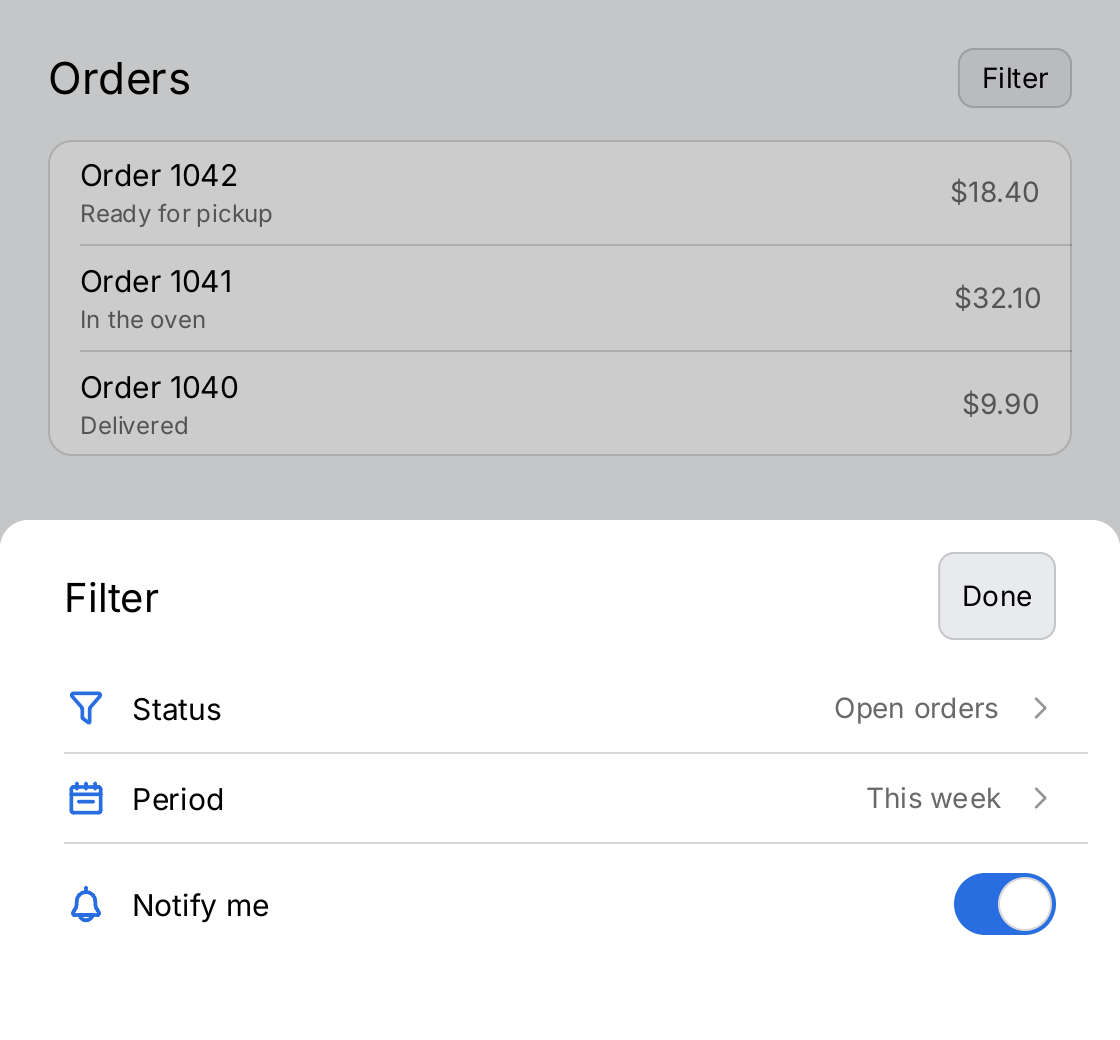
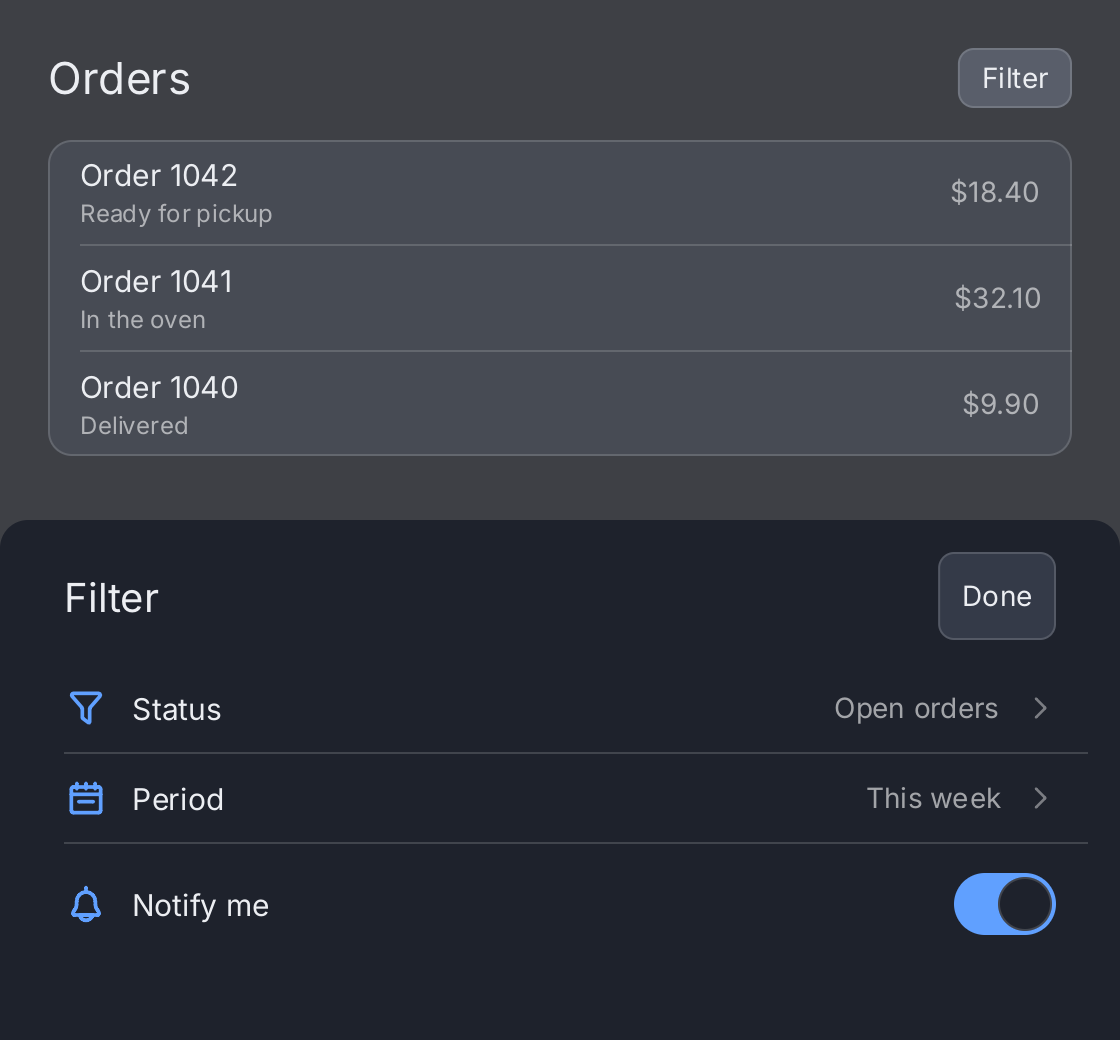
// The application owns whether the sheet is up. The demo starts with it
// presented, so the screenshot shows the settled sheet.
open := ctx.State("open", true)
notify := ctx.State("notify", true)

// The screen underneath. While the sheet is up it is dimmed by the
// scrim and takes no input.
screen := ui.VStack(
	ui.HStack(
		ui.Text("Orders").FontSize(22),
		ui.Spacer(),
		ui.Button(ui.Text("Filter"), func() { open.Set(true) }).CornerRadius(8),
	).Align(geom.Center),
	ui.Card(
		ui.List(
			ui.Row("Order 1042").Subtitle("Ready for pickup").Value("$18.40"),
			ui.Row("Order 1041").Subtitle("In the oven").Value("$32.10"),
			ui.Row("Order 1040").Subtitle("Delivered").Value("$9.90"),
		),
	).Padding(0),
).Gap(16).Padding(24)

// The sheet: a title bar with a button that closes it, and its content.
// The title bar is inset like the rows, so the two line up.
filter := ui.VStack(
	ui.HStack(
		ui.Text("Filter").FontSize(20),
		ui.Spacer(),
		ui.Button(ui.Text("Done"), func() { open.Set(false) }).
			CornerRadius(8).MinHeight(ui.ControlHitTarget),
	).Align(geom.Center).PaddingInsets(geom.Insets{Left: ui.RowPadding, Right: ui.RowPadding}),
	ui.List(
		ui.Row("Status").Icon(outline.Filter).Value("Open orders").
			Chevron(outline.AngleRight).OnTap(func() {}),
		ui.Row("Period").Icon(outline.CalendarWeek).Value("This week").
			Chevron(outline.AngleRight).OnTap(func() {}),
		ui.Row("Notify me").Icon(outline.Bell).
			Accessory(ui.Toggle(ctx.Read(notify), notify.Set).Label("Notify me")),
	),
).Gap(12).Padding(16)

// Presented keeps the sheet mounted while it is down, so it slides out
// instead of vanishing. A tap on the scrim or escape calls OnDismiss.
return ui.Sheet(screen, filter).
	Height(0.5).
	Presented(ctx.Read(open)).
	OnDismiss(func() { open.Set(false) })
Full demo on GitHub ↗
· run it with go run ./docs/gallery -demo sheet
Usage
Presenting and dismissing
ui.Sheet takes two views: the screen underneath and the view in the panel. The application owns whether the sheet
is up, usually in a bool state, and passes it to Presented:
open := ctx.State("open", false)

ui.Sheet(screen, picker).
	Presented(ctx.Read(open)).
	OnDismiss(func() { open.Set(false) })
Pass the sheet view on every frame and close it with Presented(false), not by passing nil. A nil sheet
unmounts the panel, so it vanishes instead of sliding out. With Presented(false) the panel stays mounted and
hidden: it keeps its state, but it is not drawn, not hit tested and not in the focus order. Without Presented
a non-nil sheet is up.
A tap on the scrim and the escape key call OnDismiss. Escape reaches the sheet even when nothing in it holds the
focus, which is the usual case for a sheet opened by a tap on a touchscreen. Without OnDismiss both do nothing,
and only the application can close the sheet, for example from a button inside it. Use this for a sheet that
demands an answer. There is no drag to dismiss. A NavigationStack inside the
sheet takes the escape key for itself, so OnDismiss does not see it there.
Placement
A sheet needs bounded space in both axes and panics when it is measured without it. Place it as the outermost view
inside ui.Window, so that it covers the whole window:
return ui.Window(
	ui.Sheet(screen, picker).Presented(ctx.Read(open)),
)
With ui.OnScreenKeyboard among the content of ui.Window, the window lays its other content out
above the keyboard while that is showing. A sheet next to it therefore sits on top of the keyboard, and a text
field at the bottom of the sheet stays visible. The sheet gets shorter by the height of the keyboard while it is
up, because its height is a fraction of the space it is given.
return ui.Window(
	ui.Sheet(screen, form).Presented(ctx.Read(open)),
	ui.OnScreenKeyboard(),
).Align(geom.Bottom)
Size and scrim
Height sets the height of the panel as a fraction of the height the sheet is given, in (0, 1]. The default is 0.9,
the demo uses 0.5. MaxWidth caps the width of the panel in logical pixels. The default is 720; a narrower window
gets a panel as wide as itself, and a wider one gets the panel centered at the bottom. Both panic on values outside
their range.
The panel lays its view out at the top and does not scroll. Wrap tall content in a Scroll View.
Scrim replaces the wash drawn over the screen underneath. The default is ui.ColorLabel at 20 percent opacity,
which darkens the light theme and lightens the dark one. ui.ColorClear gives an invisible scrim that still blocks
input.
API
Constructors
| Constructor | Description |
|---|---|
func Sheet(content, sheet gift.View) SheetView | Sheet returns content with sheet presented over it from the bottom edge. |
Methods
| Method | Description |
|---|---|
Height(f float32) SheetView | Height sets the height of the panel as a fraction of the height it is presented in, in (0, 1]. |
OnDismiss(fn func()) SheetView | OnDismiss makes a tap on the scrim and the escape key call fn. |
Presented(v bool) SheetView | Presented says whether the sheet is on the screen right now; see ModalView.Presented. |
Scrim(c Color) SheetView | Scrim sets the wash drawn over the content while the sheet is up; see ModalView.Scrim. |
Common modifiers: Flex, Key, MaxWidth. See Modifiers.
Related
- Modal and Alert, the other dialogs
- File Picker, which the kitchen sink shows in a sheet
- Window, where a sheet belongs, and Scroll View for tall content
- List and Row, the content of the demo
- State, Navigation, Animation and Input and Focus
- The example kitchen sink, which opens a sheet from its Form tab