Card
A card is a panel raised above the window background. It has a ColorSurface face, rounded corners, a hairline
border in ColorSeparator and an optional header. ui.Card(children...) stacks its children vertically inside
that face, with padding around them and a gap between them.
Use a card to group related content on a screen: a status message, a block of settings, a list of rows. When you
only need a styled rectangle with your own padding and colors, use a stack with
Background, Border and CornerRadius instead.
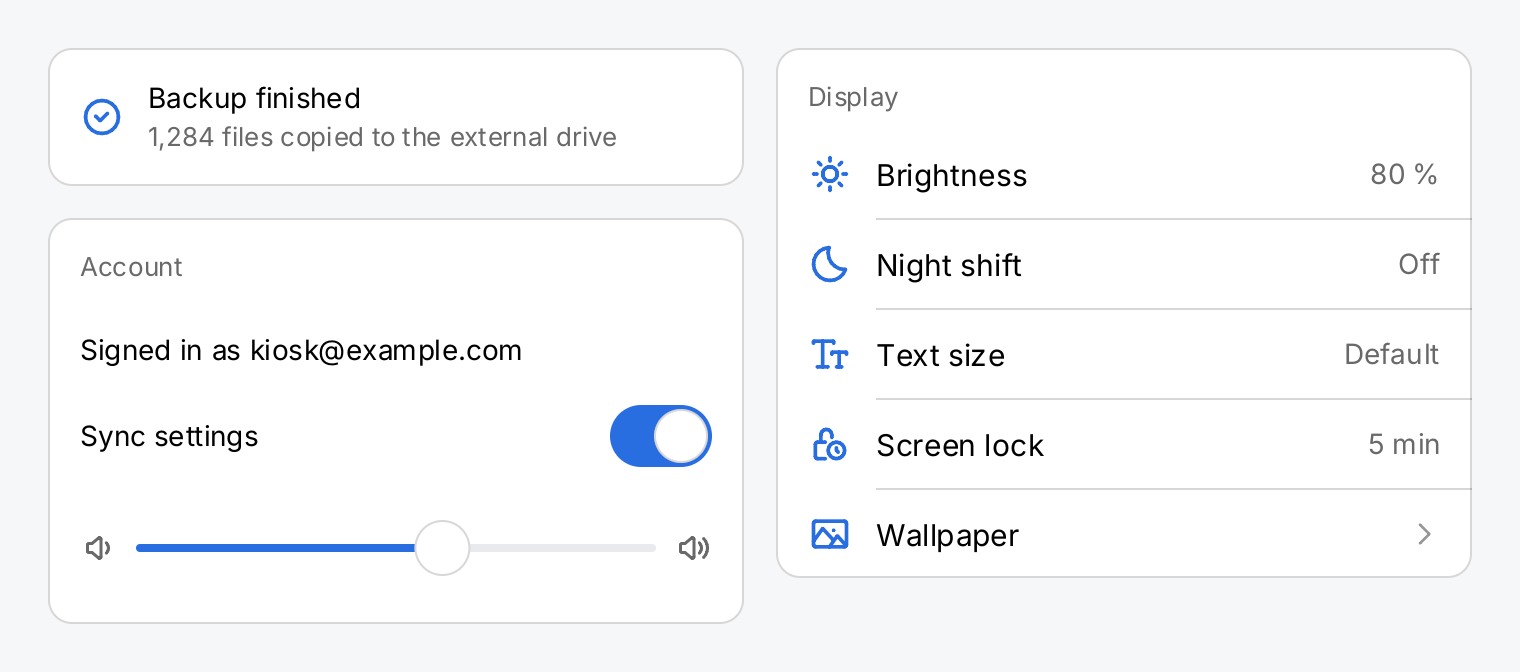
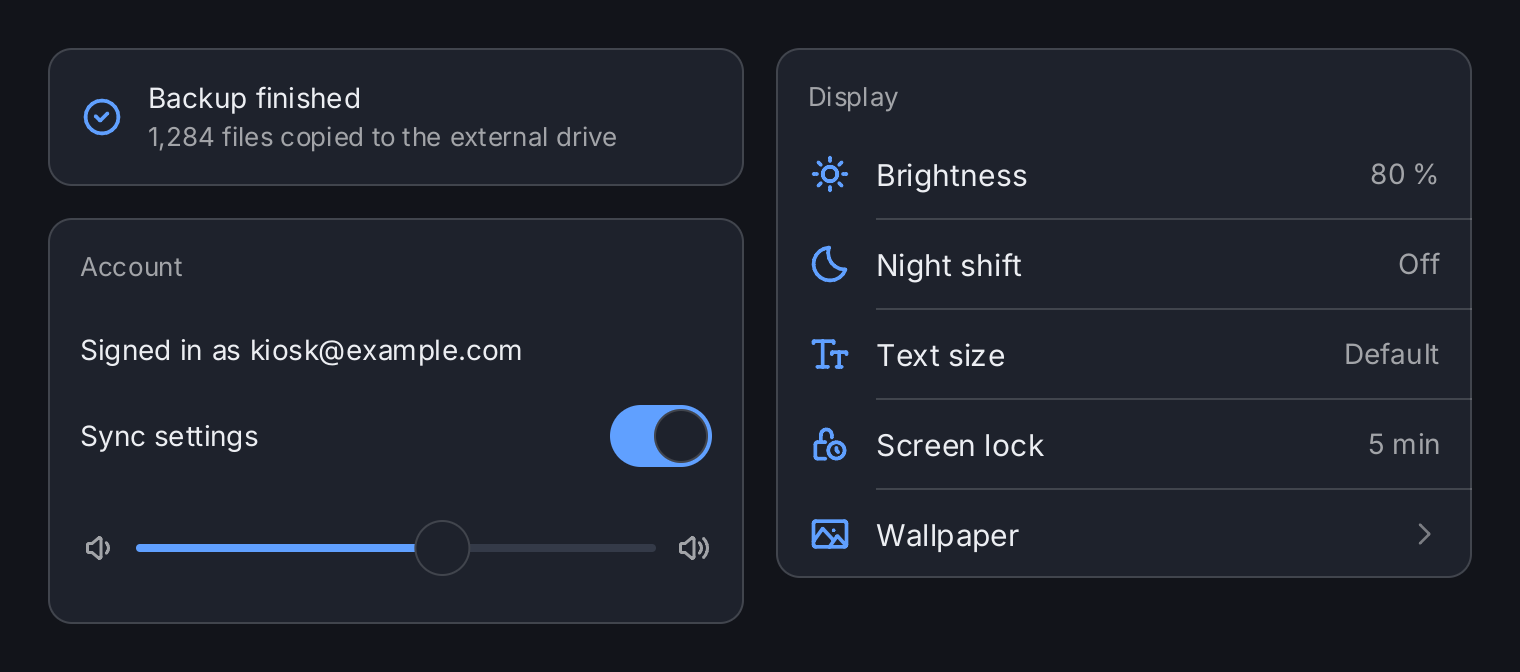
volume := ctx.State("volume", 0.6)
sync := ctx.State("sync", true)

// A plain card: no header, the default padding. A card is as wide as its
// content; the Spacer makes the row, and so the card, fill the column.
note := ui.Card(
	ui.HStack(
		ui.Icon(outline.CheckCircle).Size(22).Foreground(ui.ColorAccent),
		ui.VStack(
			ui.Text("Backup finished"),
			ui.Text("1,284 files copied to the external drive").
				FontSize(13).Foreground(ui.ColorSecondaryLabel),
		).Gap(2),
		ui.Spacer(),
	).Gap(12).Align(geom.Center),
)

// A header captions the content. The children stack vertically.
account := ui.Card(
	ui.Text("Signed in as kiosk@example.com"),
	ui.HStack(
		ui.Text("Sync settings"),
		ui.Spacer(),
		ui.Toggle(ctx.Read(sync), sync.Set).Label("Sync settings"),
	).Align(geom.Center),
	ui.HStack(
		ui.Icon(outline.VolumeDown).Size(18).Foreground(ui.ColorSecondaryLabel),
		ui.Slider(ctx.Read(volume), volume.Set).Label("Volume").Flex(1),
		ui.Icon(outline.VolumeUp).Size(18).Foreground(ui.ColorSecondaryLabel),
	).Gap(10).Align(geom.Center),
).Header("Account")

// A list brings its own row padding, so the card's content padding is
// zero. The header keeps its inset.
display := ui.Card(
	ui.List(
		ui.Row("Brightness").Icon(outline.Sun).Value("80 %"),
		ui.Row("Night shift").Icon(outline.Moon).Value("Off"),
		ui.Row("Text size").Icon(outline.TextSize).Value("Default"),
		ui.Row("Screen lock").Icon(outline.LockTime).Value("5 min"),
		ui.Row("Wallpaper").Icon(outline.Image).Chevron(outline.AngleRight).
			OnTap(func() {}),
	).SeparatorInsets(ui.RowPadding+22+12, 0),
).Padding(0).Header("Display")

return ui.HStack(
	ui.VStack(note, account).Gap(16).Flex(1),
	ui.VStack(display).Flex(1),
).Gap(16).MinWidth(680)
Full demo on GitHub ↗
· run it with go run ./docs/gallery -demo card
Usage
Children stack vertically. A card lays out its children like a VStack. The content padding defaults to
ui.CardPadding (16) on all edges and the gap between children to 12. Padding, PaddingInsets and Gap
replace these defaults. A card has no other layout or paint modifiers: its face, radius (ui.CardRadius, 12)
and border are fixed.
The header sits outside the content padding. Header draws a single line caption in a smaller font and
ColorSecondaryLabel above the content. It keeps its own inset of ui.CardPadding on the top, leading and
trailing edges, whatever you pass to Padding. This matters for a card that wraps a list: the rows bring their own horizontal
padding, so you set the card’s content padding to zero and the pressed highlight of a row reaches both edges of
the card. The header still lines up with the row text.
ui.Card(
	ui.List(
		ui.Row("Brightness").Value("80 %"),
		ui.Row("Night shift").Value("Off"),
	),
).Padding(0).Header("Display")
An empty header, the default, draws nothing.
Sizing. A card is as tall as its content and, like a stack, as wide as its content. A child that fills the
width it is offered, such as a list or an HStack with a Spacer, makes the card fill it too. That is why the
status card in the demo ends its row with a Spacer. To make a card take a share of the free space of its parent
stack, give it Flex. The card passes that height on to its children, with or without a header, so a scroll
view inside it takes the height with a Flex of its own:
ui.VStack(
	ui.Card(
		ui.VScroll(lines...).Flex(1),
	).Flex(1),
).Flex(1)
With a header, the header and the content are two children of an inner VStack. A card with Flex makes the
content the flexible child there, so the header keeps its line and the content gets the rest.
The corners are not a clip. A card does not clip its children. A child that paints into a corner covers the rounding. Leave the corners to the card’s face: a list inside a card draws no background of its own, so the face shows through.
Keys. Key sets the reconciliation key of the card among its siblings, as on any other view. Give cards
keys when cards on a screen come and go or change places, so that each one is matched to its previous self.
API
Constructors
| Constructor | Description |
|---|---|
func Card(children ...gift.View) CardView | Card returns a card holding children, stacked vertically. |
Methods
| Method | Description |
|---|---|
Gap(f float32) CardView | Gap sets the space between two adjacent children, replacing the default. |
Header(s string) CardView | Header sets the caption drawn above the content, in ColorSecondaryLabel. |
Common modifiers: Flex, Key, Padding, PaddingInsets. See Modifiers.
Related
- Stack: the vertical stack inside a card, and styled containers of your own
- Box: a styled rectangle without content
- List and Row: the usual content of a settings card
- Scroll View: scrolling content inside a flexible card
- Shadow and Border
- Colors:
ColorSurface,ColorSeparatorand the other roles - Layout: shrink-wrapping, greedy views and flex
- Views: keys and reconciliation
- Kitchen sink example: cards with headers, lists and pictures