Spacer
A spacer is an invisible, flexible gap in a stack. ui.Spacer() takes the space that is left on the main axis
of its VStack or HStack and pushes its neighbors apart. It draws nothing and has no size of its own.
Use it to move content to an edge: actions to the trailing end of a toolbar, a footer to the bottom of a card, a
label to the center of a row. For even space between all children, use the Gap of the stack instead.
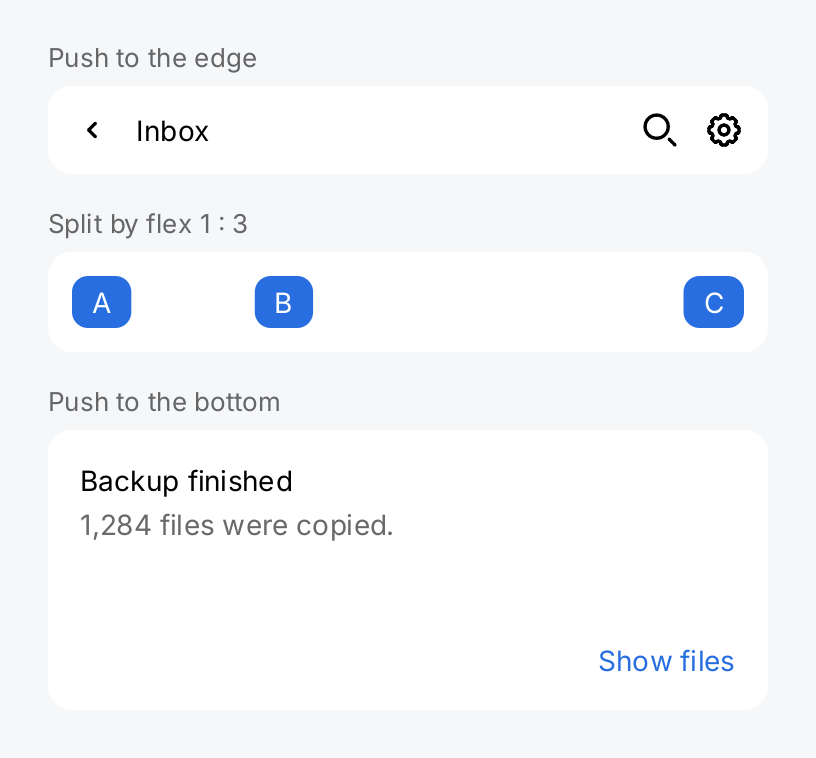
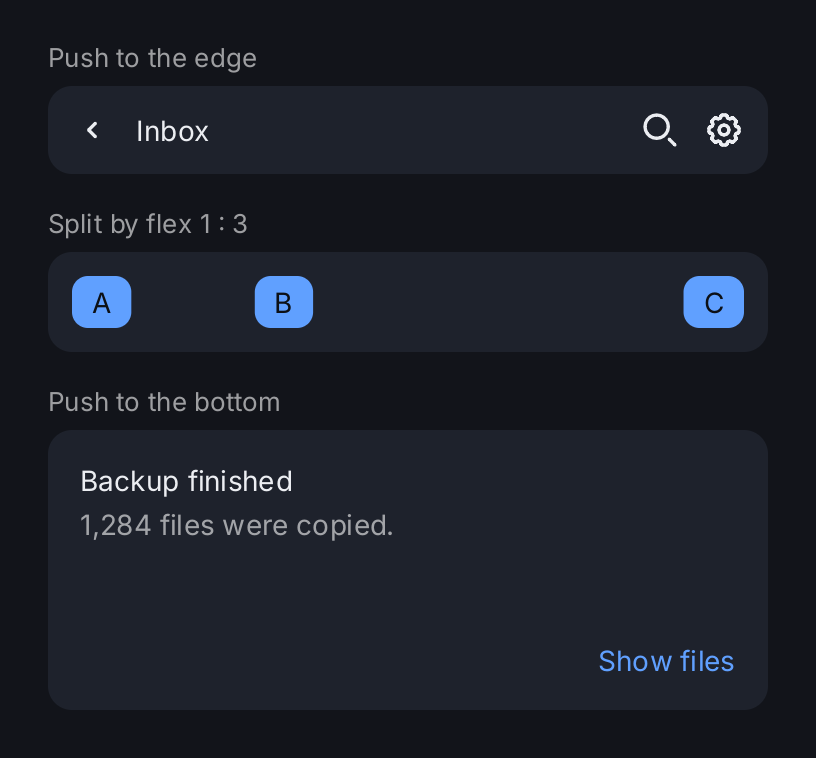
section := func(title string, content gift.View) gift.View {
	return ui.VStack(
		ui.Text(title).FontSize(13).Foreground(ui.ColorSecondaryLabel),
		content,
	).Gap(6).Align(geom.Leading)
}
marker := func(s string) gift.View {
	return ui.Text(s).Foreground(ui.ColorOnAccent).
		PaddingInsets(geom.Insets{Top: 4, Right: 10, Bottom: 4, Left: 10}).
		Background(ui.ColorAccent).CornerRadius(8)
}

// One spacer pushes the actions to the trailing edge.
toolbar := ui.HStack(
	ui.Icon(outline.ChevronLeft).Size(20),
	ui.Text("Inbox"),
	ui.Spacer(),
	ui.Icon(outline.Search).Size(20),
	ui.Icon(outline.Cog).Size(20),
).Gap(12).Align(geom.Center).Padding(12).
	Background(ui.ColorSurface).CornerRadius(12)

// Flex splits the free space: one part before B, three parts after it.
ratio := ui.HStack(
	marker("A"),
	ui.Spacer().Flex(1),
	marker("B"),
	ui.Spacer().Flex(3),
	marker("C"),
).Align(geom.Center).Padding(12).
	Background(ui.ColorSurface).CornerRadius(12)

// In a VStack with a fixed height, a spacer moves the footer down.
card := ui.VStack(
	ui.Text("Backup finished"),
	ui.Text("1,284 files were copied.").Foreground(ui.ColorSecondaryLabel),
	ui.Spacer(),
	ui.HStack(
		ui.Spacer(),
		ui.Text("Show files").Foreground(ui.ColorAccent),
	),
).Gap(4).Align(geom.Leading).Padding(16).Frame(geom.Unbounded(), 140).
	Background(ui.ColorSurface).CornerRadius(12)

return ui.VStack(
	section("Push to the edge", toolbar),
	section("Split by flex 1 : 3", ratio),
	section("Push to the bottom", card),
).Gap(16).Align(geom.Leading).Frame(360, geom.Unbounded())
Full demo on GitHub ↗
· run it with go run ./docs/gallery -demo spacer
Usage
It takes what is left. A stack first measures its inflexible children, then shares the remaining main axis
space between its flexible children. Spacer() has a flex of one, so a single spacer takes all of it. Two spacers
around a view center it:
ui.HStack(
	ui.Spacer(),
	ui.Text("Centered"),
	ui.Spacer(),
)
A stack with a spacer fills a bounded main axis, because the spacer takes all of the free space. On the cross axis a spacer has no extent and does not make the stack wider or taller.
Flex sets its share. Flex(v) sets the share of the free space. Spacers with flex 1 and 3 split it one to
three, as in the demo. A spacer competes with every other flexible child of the stack, so a spacer next to a
Slider(...).Flex(1) gets half of the free space and the slider the other half. A flex of zero or less makes the
spacer inflexible, and an inflexible spacer has no size.
It needs space to share. When the main axis is unbounded, every flexible child gets zero and the spacer
collapses. That is the case along the scroll axis of a Scroll View, and for a stack that is an
inflexible child of a parent stack with the same axis. An HStack inside an HStack is offered unlimited width,
so give the inner one a flex:
ui.HStack(
	ui.HStack(ui.Text("Draft"), ui.Spacer(), status).Flex(1),
	ui.Text("12:04"),
).Gap(12).Align(geom.Center)
An HStack inside a VStack needs no flex: it is offered the width of the VStack, which is bounded as long as
the VStack itself is.
MinLength keeps a minimum. MinLength(v) sets the smallest main axis extent of the spacer, flexible or
not. The spacer keeps its minimum even when there is no space left, also on an
unbounded axis. It then pushes its siblings along: a bounded stack overflows instead of squeezing the gap away,
and an unbounded one grows by the minimum:
ui.HStack(
	ui.Text("Name"),
	ui.Spacer().MinLength(24),
	ui.Text("A very long value that may not fit"),
)
It is a child like any other. The Gap of the stack applies on both sides of a spacer, even when the spacer
is zero long. A spacer has no padding, frame or background modifiers. Only a stack reads its flex: a
ZStack ignores the flex of its children, so a spacer there is empty. Key sets the
reconciliation key among its siblings.
API
Constructors
| Constructor | Description |
|---|---|
func Spacer() SpacerView | Spacer returns a flexible gap with a flex of one and no minimum length. |
Methods
| Method | Description |
|---|---|
MinLength(v float32) SpacerView | MinLength sets the smallest main axis extent of the spacer. |
Common modifiers: Flex, Key. See Modifiers.
Related
- Stack: the parent that shares the free space
- Box: a visible rectangle that can also take a flex
- Divider: a line between groups instead of empty space
- Row: adds a spacer after its labels when it has a title, a subtitle or a value
- Scroll View: an unbounded axis, where a spacer collapses
- Layout: constraints, flex and overflow