Image Gallery
An image gallery shows a large catalogue of pictures as a scrolling grid of tiles. Use it for a photo library, a media browser or any screen with hundreds to hundreds of thousands of pictures. For a single picture, use image; for a scrolling list of rows, use the virtual list.
The gallery is virtualized. It keeps a small pool of tiles, about as many as fit into the viewport, and rebinds
them to other entries while you scroll. No view function runs during a scroll, and the number of tiles does not
grow with the catalogue. It arranges the tiles as masonry columns or as justified rows, keeps a selection and a
keyboard cursor, and loads its thumbnails through the same image pipeline as ui.Image.
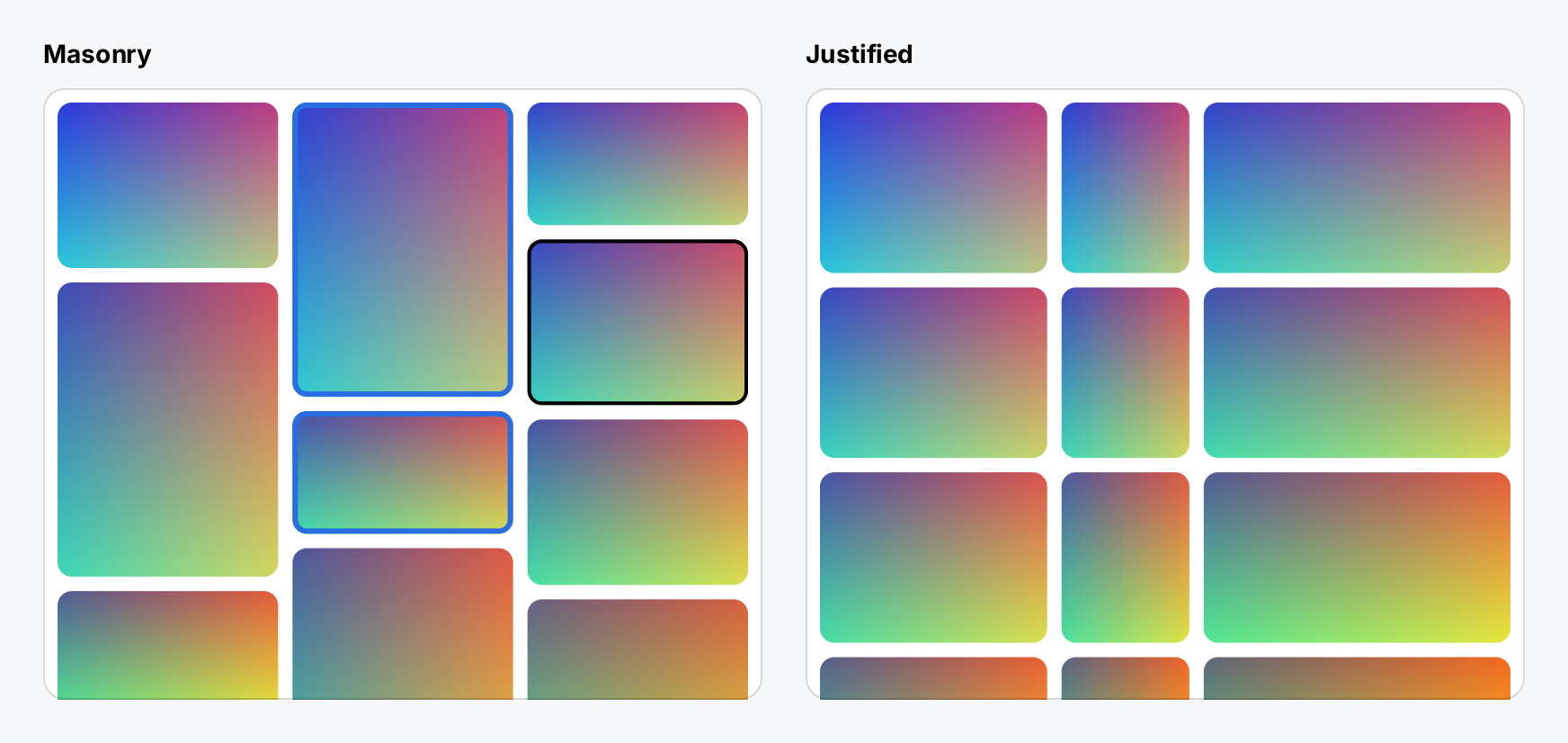
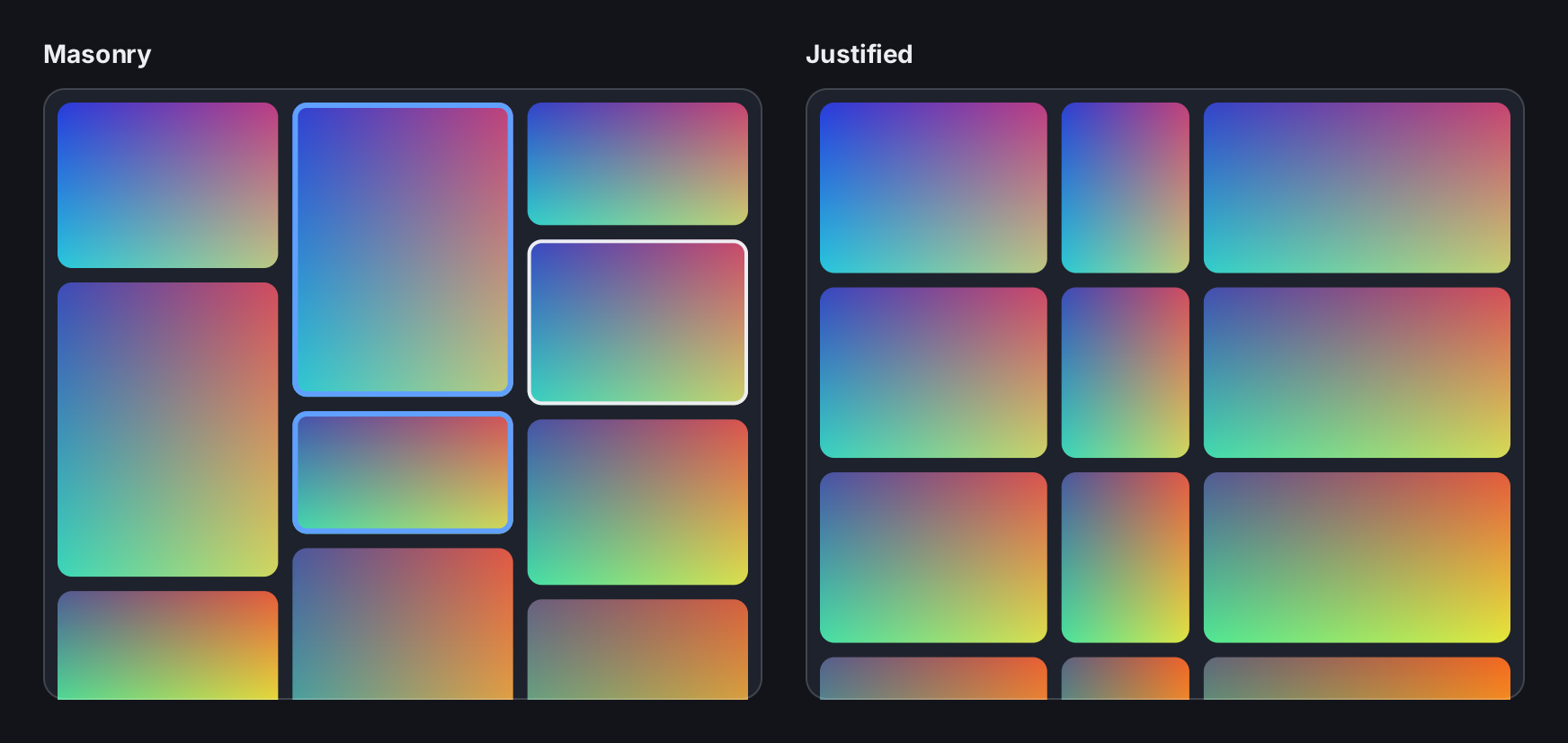
// A Gallery is created once and kept, like the collection it wraps.
// The catalogue holds metadata only; SetSources says where each
// entry's pixels come from. pictures is a []asset.Source of
// sample files.
library := func() *ui.Gallery {
	items := make([]asset.Metadata, len(pictures))
	byID := make(map[asset.ID]asset.Source, len(pictures))
	for i, src := range pictures {
		items[i] = src.Metadata()
		byID[items[i].ID] = src
	}
	g := ui.NewGallery(asset.NewCollection(items))
	g.SetSources(func(id asset.ID) asset.Source { return byID[id] })
	return g
}
if masonryPhotos == nil {
	masonryPhotos, justifiedPhotos = library(), library()

	// The selection lives in the Gallery and follows stable IDs.
	ids := masonryPhotos.Collection()
	masonryPhotos.Selection().Only(ids.ID(1))
	masonryPhotos.Selection().Set(ids.ID(5), true)
	masonryPhotos.Selection().SetCursor(ids.ID(3), true)
}

bold := ui.MustFont(ui.FontQuery{Family: inter.Family, Weight: ui.WeightBold})
tiles := ui.TileStyle{
	CornerRadius: 8,
	Palette:      []ui.Color{ui.RGB(120, 130, 150), ui.RGB(140, 128, 150)},
	Error:        ui.ColorDanger,
	Selected:     ui.Border{Width: 3, Color: ui.ColorAccent},
	Cursor:       ui.Border{Width: 2, Color: ui.ColorLabel},
}
panel := func(title string, gallery ui.GalleryView) gift.View {
	return ui.VStack(
		ui.Text(title).Font(bold),
		// A gallery needs a bounded height: Frame, MaxHeight or Flex.
		gallery.Tile(tiles).Padding(8).Frame(400, 340).
			Background(ui.ColorSurface).CornerRadius(12).
			Border(ui.Border{Width: 1, Color: ui.ColorSeparator}),
	).Gap(10)
}

return ui.HStack(
	panel("Masonry", ui.ImageGallery(masonryPhotos).
		Layout(ui.Masonry().MinColumnWidth(110).Gap(8)).
		OnSelect(func(id asset.ID) { /* show the details */ })),
	panel("Justified", ui.ImageGallery(justifiedPhotos).
		Layout(ui.Justified().RowHeight(96).Gap(8)).
		OnActivate(func(id asset.ID) { /* open the picture */ })),
).Gap(24)
Full demo on GitHub ↗
· run it with go run ./docs/gallery -demo image-gallery
Usage
Two halves: Gallery and GalleryView
A gallery has a retained half and a declaration half. ui.NewGallery returns a *ui.Gallery: the catalogue,
the selection, the layout index and the tile pool. Create it once and keep it, next to the
asset.Collection it wraps. ui.ImageGallery(g) returns a GalleryView that says how the gallery looks right
now. Build that in your view function like any other view.
The catalogue is an asset.Collection of asset.Metadata: a stable ID per entry and, if known, the pixel
dimensions. It holds no sources. Gallery.SetSources installs a resolver that turns an ID into an
asset.Source. Without a resolver, every tile shows its placeholder.
sources := make(map[asset.ID]asset.Source, len(paths))
items := make([]asset.Metadata, 0, len(paths))
for _, p := range paths {
	src := asset.File(p)
	m := src.Metadata()
	sources[m.ID] = src
	items = append(items, m)
}

photos := ui.NewGallery(asset.NewCollection(items))
photos.SetSources(func(id asset.ID) asset.Source { return sources[id] })

app := gift.New(gift.Options{Root: func(ctx *gift.Context) gift.View {
	return ui.Window(library(ctx, photos))
}})
The collection takes ownership of the slice. A duplicate or empty ID panics. The resolver runs during layout,
once per newly bound tile, so it must not block or perform I/O; a map lookup or asset.File is fine.
library stands for your own view function, such as the one in the next snippet.
Thumbnails come from the pipeline you install with ui.SetImagePipeline; see
image for the wiring. The gallery requests each thumbnail at the size
of its tile in device pixels. A tile shows its placeholder until the picture arrives. Without a pipeline, every
tile stays on its placeholder.
Give it a bounded height
Like a scroll view, a gallery needs a bounded height. Use Flex(1) to fill the rest of a stack, or Frame or
MaxHeight. A gallery with an unbounded height has a zero viewport, binds no tiles and stays blank.
Padding lies inside the viewport and scrolls with the tiles. Background, Border and CornerRadius style
the viewport and do not scroll. The gallery draws the same scroll bar as a scroll view; ScrollBar changes it.
Layouts
ui.Masonry() uses columns of equal width and places each item into the currently shortest column.
MinColumnWidth sets the narrowest acceptable column, 160 by default, and the gallery fits as many columns as
it can.
ui.Justified() fills each row to the full width and gives every item in a row the same height. RowHeight
sets the height it aims for, 200 by default; the real height varies per row. Gap sets the space between
tiles for both and is zero by default. Without Layout, the gallery uses masonry with these defaults.
Entries without known dimensions are laid out with ProvisionalAspect, which defaults to 1. When the pipeline
has probed a file, the gallery folds the real dimensions back in, in batches, and keeps the viewport on the
picture it shows. AspectClamp bounds extreme aspect ratios, by default to between 0.2 and 5.
A GalleryLayout is a plain value, so you switch layouts with ordinary state. The gallery notices the change
and reflows incrementally, discarding a reflow that is still running:
justified := ctx.State("justified", false)

arrangement := ui.Masonry().MinColumnWidth(220).Gap(8)
if ctx.Read(justified) {
	arrangement = ui.Justified().RowHeight(180).Gap(8)
}

return ui.VStack(
	ui.Button(ui.Text("Switch layout"), func() { justified.Set(!justified.Get()) }),
	ui.ImageGallery(photos).Layout(arrangement).Flex(1),
)
Selection and keyboard
The selection is an asset.Selection that belongs to the Gallery, not to a tile. It stores stable IDs, so it
follows the picture through scrolling, recycling and reordering. Read it with Gallery.Selection(), for
example Len() or IDs(nil), or change it from code with Only, Set, Toggle and SetCursor.
Gallery.SetSelection shares one selection object between two galleries of the same catalogue.
| Input | Effect |
|---|---|
| Click | Selects the entry alone and moves the cursor to it. |
| Shift-click | Selects the range from the anchor to the entry. |
| Control-click or Command-click | Toggles the entry and moves the cursor to it. |
| Arrow keys, Page Up/Down, Home, End | Move the cursor and select the entry alone. |
| Shift with a navigation key | Extends the selection as a range. |
| Control or Command with a navigation key | Moves the cursor without selecting. |
| Space | Toggles the entry under the cursor. |
| Enter | Activates the entry under the cursor. |
A click into the gallery gives it the focus, so the keys work after the first click. Navigation follows the catalogue order: left and right move one entry, up and down move one row’s worth of entries. A drag that starts on a tile scrolls and selects nothing.
OnSelect receives the ID of the entry after every click on a tile, including Shift- and Control-clicks, after
a navigation key without a modifier, and after Space selects an entry. Shift or Control with a navigation key
does not call it. OnActivate receives the ID of the entry Enter activated; a double click is not an activation. Both pass an
asset.ID, never a tile or an index. A click on a tile only repaints, and no view function runs unless your
OnSelect changes state: the tiles read the selection when they paint.
Tiles
Tile takes a TileStyle. CornerRadius rounds the placeholder, the picture and both borders alike.
Selected is stroked inside a selected tile, Cursor inside the tile with the keyboard cursor. Error fills
a tile whose picture failed to load, and Provisional a tile whose dimensions are still a guess. Palette is
the set of placeholder fills; the entry is picked from the stable ID, so a tile keeps its color when it is
recycled.
Unlike the other colors, Palette entries are not resolved against the theme. Use literal colors there, such
as ui.RGB, and semantic colors such as ui.ColorAccent for the borders.
Prefetch and introspection
Overscan keeps tiles mounted for a number of logical pixels above and below the viewport. Their thumbnails are
requested as prefetch, which never delays a visible picture. It is zero by default; about one row’s height
suits a gallery that is scrolled fast.
Gallery.Reveal scrolls an entry into view on the next layout pass, and Gallery.Reorder applies a new
catalogue order while keeping the viewport on the current picture. Bindings and BindingOf return
TileBinding values that say which entry each tile stands for, and Stats returns request counters. Both are
meant for tests and diagnostics.
API
Constructors
| Constructor | Description |
|---|---|
func ImageGallery(g *Gallery) GalleryView | ImageGallery returns the view of g. |
Methods
| Method | Description |
|---|---|
Config(c gift.ScrollConfig) GalleryView | Config replaces the whole gesture configuration; see gift.ScrollConfig. |
Friction(f float32) GalleryView | Friction sets the exponential decay rate of a fling, exactly as ScrollView.Friction. |
Label(s string) GalleryView | Label sets the accessible name of the gallery; see gift.Element.Label. |
Layout(l GalleryLayout) GalleryView | Layout selects the arrangement. |
OnActivate(fn func(asset.ID)) GalleryView | OnActivate is called when the user activates an entry: enter on the keyboard cursor. |
OnSelect(fn func(asset.ID)) GalleryView | OnSelect is called with the stable ID of the entry the user selected or acted on: on every click on a tile, whatever its modifiers — a Control click that takes the entry out of the selection reports it too — on every plain arrow, Page, Home or End key that moves the cursor and with it the selection, and on space when it adds the entry under the keyboard cursor. |
Overscan(px float32) GalleryView | Overscan keeps tiles mounted for this many logical pixels above and below the viewport. |
ScrollBar(b ScrollBar) GalleryView | ScrollBar sets the look and the timing of the scroll indicator, exactly as ScrollView.ScrollBar. |
Tile(s TileStyle) GalleryView | Tile sets the appearance of the placeholders. |
WheelStep(f float32) GalleryView | WheelStep sets how far one unit of wheel delta scrolls, in logical pixels. |
Common modifiers: Background, Border, Clip, CornerRadius, Flex, Frame, Key, MaxHeight, MaxWidth, MinHeight, MinWidth, Padding, PaddingInsets, Shadow. See Modifiers.
Constructors
| Constructor | Description |
|---|---|
func NewGallery(c *asset.Collection) *Gallery | NewGallery returns a gallery over c with an empty selection. |
Methods
| Method | Description |
|---|---|
Anchor() (id asset.ID, local float64, ok bool) | Anchor returns the stable ID and the local offset the viewport is currently pinned to. |
ApplyCorrections(cs []asset.Correction) int | ApplyCorrections folds a batch of late arriving dimensions into the catalogue and schedules one incremental reflow for the whole batch. |
BindingOf(id asset.ID) (TileBinding, bool) | BindingOf returns the tile the entry with the given ID is currently in. |
Bindings(dst []TileBinding) []TileBinding | Bindings appends the current binding of every bound tile to dst and returns the extended slice, in slot order. |
Collection() *asset.Collection | Collection returns the catalogue this gallery shows. |
Columns() int | Columns is the masonry column count of the committed layout, and zero for a justified one. |
Compact() | Compact releases the recycled scratch of the layout index. |
ContentExtent() float64 | ContentExtent is the document height of the committed layout, in logical pixels. |
Generation() uint64 | Generation is the current request generation; see TileBinding.Generation. |
Invalidate() | Invalidate marks the gallery for another layout pass. |
ItemRect(i int) (x, y, w, h float64, ok bool) | ItemRect returns the document rectangle of catalogue entry i in the committed layout, whether or not it has a tile. |
LayoutVersion() uint64 | LayoutVersion is the version of the committed layout. |
Ready() bool | Ready reports whether a layout has been committed and the gallery has something to show. |
Reflowing() bool | Reflowing reports whether an incremental reflow is in flight. |
Reorder(order []int) | Reorder applies a new catalogue order and schedules one reflow for it. |
Reveal(id asset.ID) bool | Reveal asks for the entry with the given ID to be scrolled into view on the next layout pass, and reports whether the entry exists. |
Selection() *asset.Selection | Selection returns the durable selection and keyboard cursor. |
SetCollection(c *asset.Collection) | SetCollection replaces the catalogue. |
SetSelection(s *asset.Selection) | SetSelection replaces the selection object, for an application that shares one selection between two views of the same catalogue. |
SetSources(resolve func(asset.ID) asset.Source) | SetSources installs the resolver that turns a catalogue entry into something the image pipeline can open, and switches the gallery from placeholders to real pictures. |
SlotCount() int | SlotCount is the number of tile nodes that exist. |
Sources() func(asset.ID) asset.Source | Sources returns the resolver installed by Gallery.SetSources, or nil. |
Stats() GalleryStats | Stats returns the image side counters of this gallery. |
String() string | String makes a gallery readable in a test failure. |
VisibleCount() int | VisibleCount is the number of entries the last layout pass found inside the viewport, before the pool size was taken into account. |
Constructors
| Constructor | Description |
|---|---|
func Justified() GalleryLayout | Justified returns a layout that fills rows to the full content width, giving every item in a row the same height. |
func Masonry() GalleryLayout | Masonry returns a layout with fixed column widths and variable item heights, placing each item into the currently shortest column. |
Methods
| Method | Description |
|---|---|
AspectClamp(lo, hi float32) GalleryLayout | AspectClamp bounds every aspect ratio, known or provisional. |
Gap(v float32) GalleryLayout | Gap sets the space between two adjacent items, horizontally and vertically. |
IsMasonry() bool | IsMasonry reports whether l is a masonry layout. |
MinColumnWidth(v float32) GalleryLayout | MinColumnWidth sets the narrowest acceptable masonry column. |
ProvisionalAspect(v float32) GalleryLayout | ProvisionalAspect sets the width over height ratio used for an item whose dimensions are not known yet. |
RowHeight(v float32) GalleryLayout | RowHeight sets the row height a justified layout aims for. |
type TileStyle struct {
	CornerRadius float32
	Palette      []Color
	Provisional  Color
	Error        Color
	Selected     Border
	Cursor       Border
}type TileBinding struct {
Slot int
Item int
ID asset.ID
Revision string
Generation uint64
Provisional bool
PictureID asset.ID
PictureRung int
PictureReady, PictureFailed bool
DocX, DocY, DocW, DocH float64
}Related
- Image shows one picture through the same pipeline.
- Virtual List virtualizes rows of arbitrary views.
- Scroll View for the scroll gestures and the scroll bar.
- Images explains the pipeline, the thumbnail sizes and the disk cache.
- Input and Focus for focus and keyboard handling.
- Gallery example is a complete photo browser with a layout switch.