List
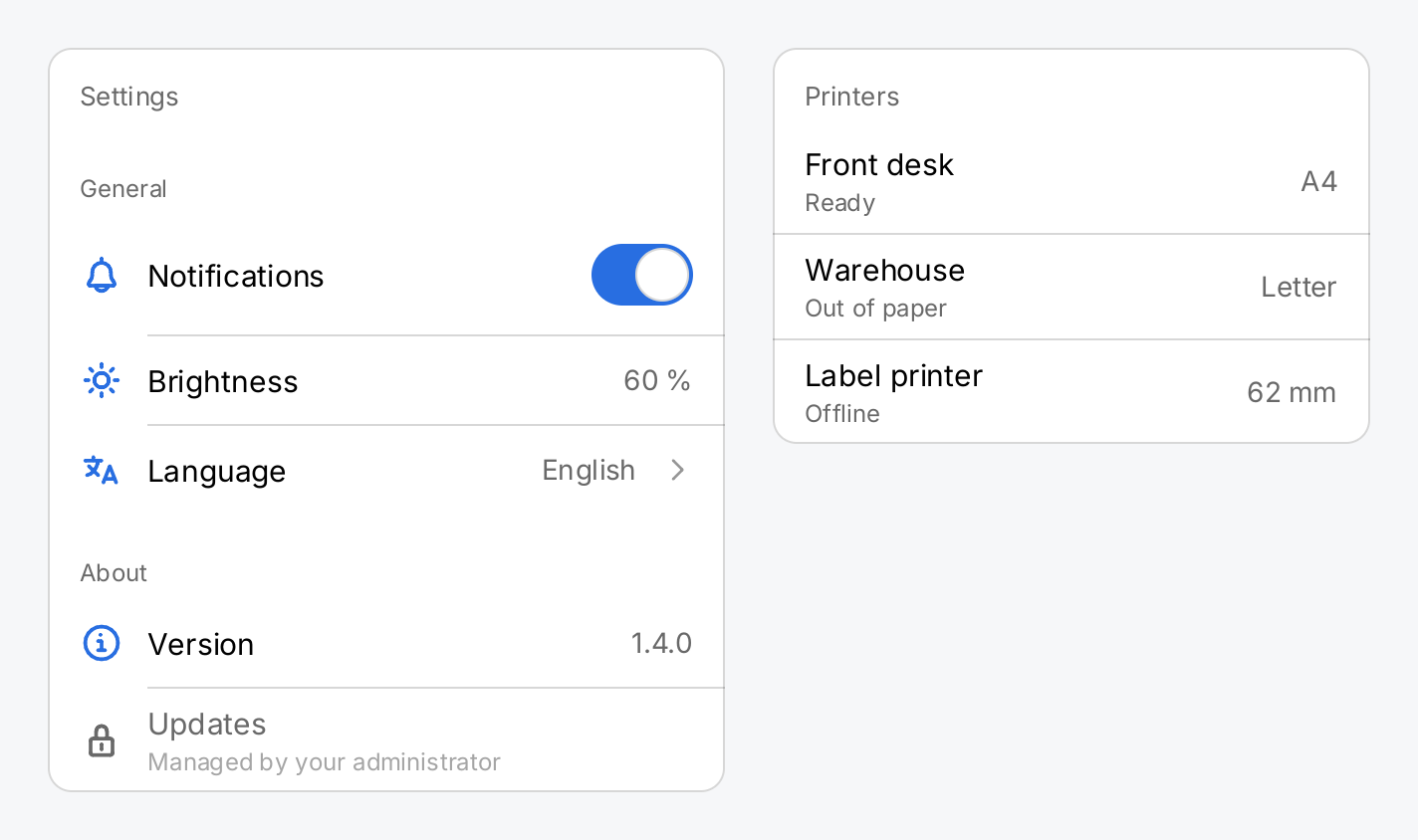
A list is a vertical run of items with hairlines between the rows and section headers in between. ui.List
takes any views, but it is made for rows created by ui.Row and headers created by ui.Section.
Use it for settings screens, detail panels and other short, grouped lists. A list builds every item, so for a long list, such as the files of a folder, use a virtual list instead.
notify := ctx.State("notify", true)

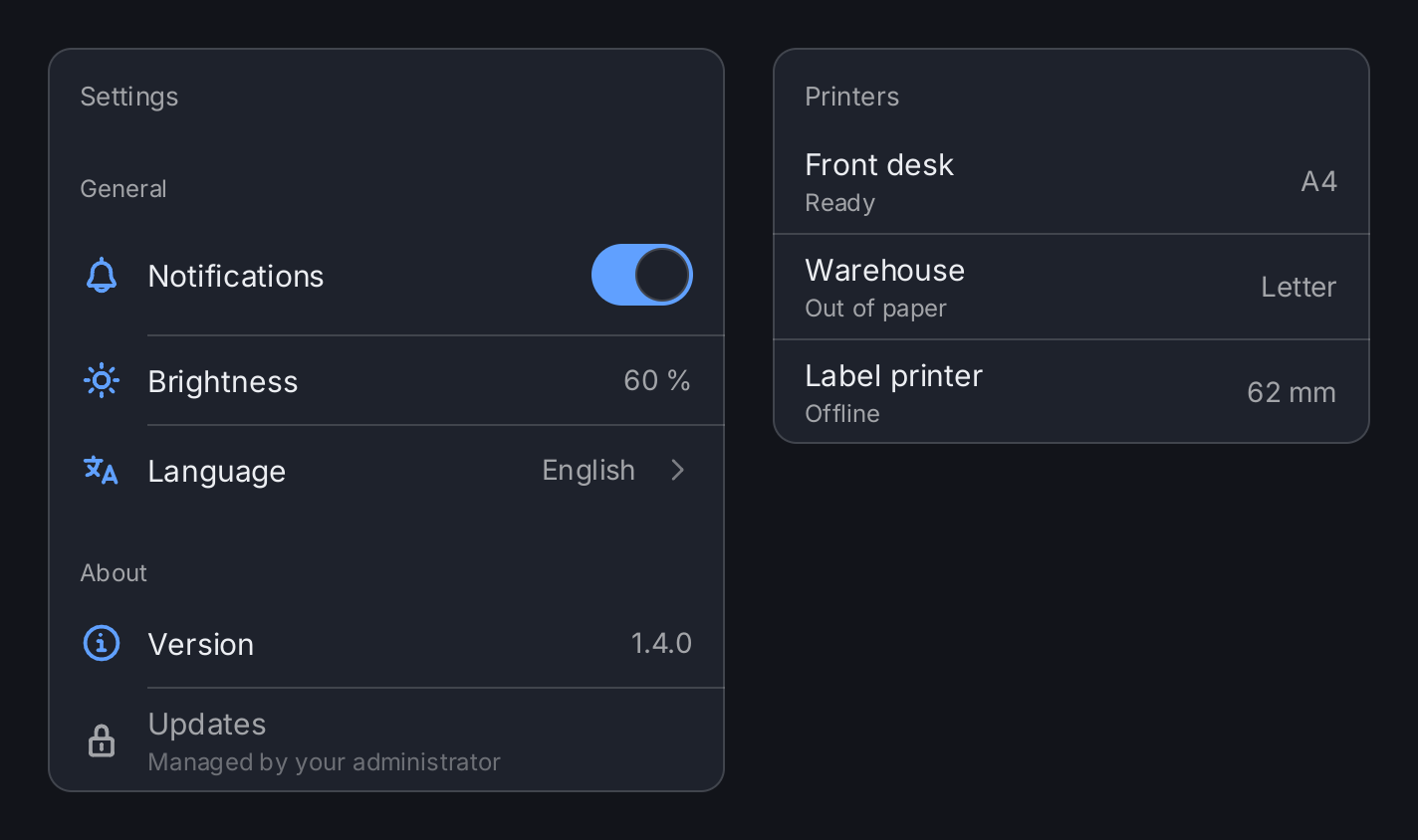
// A grouped settings list: section headers, rows with icons, a switch
// and a chevron. The separators start at the text, after the icon.
settings := ui.Card(
	ui.List(
		ui.Section("General"),
		ui.Row("Notifications").Icon(outline.Bell).
			Accessory(ui.Toggle(ctx.Read(notify), notify.Set)),
		ui.Row("Brightness").Icon(outline.Sun).Value("60 %"),
		ui.Row("Language").Icon(outline.Language).Value("English").
			Chevron(outline.AngleRight).OnTap(func() {}),
		ui.Section("About"),
		ui.Row("Version").Icon(outline.InfoCircle).Value("1.4.0"),
		ui.Row("Updates").Icon(outline.Lock).
			Subtitle("Managed by your administrator").Disabled(true),
	).SeparatorInsets(ui.RowPadding+22+12, 0).Frame(340, geom.Unbounded()),
).Padding(0).Header("Settings")

// Rows without icons and full-width separators read like a table.
printers := ui.Card(
	ui.List(
		ui.Row("Front desk").Subtitle("Ready").Value("A4"),
		ui.Row("Warehouse").Subtitle("Out of paper").Value("Letter"),
		ui.Row("Label printer").Subtitle("Offline").Value("62 mm"),
	).SeparatorInsets(0, 0).Frame(300, geom.Unbounded()),
).Padding(0).Header("Printers")

return ui.HStack(
	settings,
	printers,
).Gap(24)
Full demo on GitHub ↗
· run it with go run ./docs/gallery -demo list
Usage
Separators follow one rule. The list draws a separator between two consecutive items only when neither of them is a section header. So there is none after the last item, none above a header and none below it. A section boundary is one visual break, not two.
Only a SectionHeaderView counts as a header. The list looks at the dynamic type of each item. A header
wrapped in another view, or returned from a helper as gift.View, is an ordinary item and gets separators
around it. Pass the value of ui.Section directly.
Leave items out instead of hiding them. The separators are decided from the items you pass, before they are built. A hidden item keeps its height and its separators, so you get a blank band between two lines. Build the item slice conditionally:
items := []gift.View{ui.Row("Wi-Fi")}
if expert {
	items = append(items, ui.Row("Proxy"))
}
items = append(items, ui.Row("About"))
list := ui.List(items...)
The slice belongs to gift after the call, as with VStack.
Separator insets. By default a separator starts ui.ListSeparatorInset (equal to ui.RowPadding, 16)
from the leading edge, where the text of a plain row starts, and reaches the trailing edge. Rows with leading
icons want the icon width (22) and the row gap (12) on top, so the line starts at the title. Zero on both ends
gives a table look. Both values must be finite and not negative, or SeparatorInsets panics:
ui.List(rows...).SeparatorInsets(ui.RowPadding+22+12, 0) // rows with icons
ui.List(rows...).SeparatorInsets(0, 0)                   // full width
Separator color and thickness. SeparatorColor replaces ui.ColorSeparator. ui.ColorClear hides the
lines but keeps their space, so the rows do not move. SeparatorThickness sets the height in logical pixels,
ui.DividerThickness (1) by default. Each separator takes that height out of the layout, so rows never overlap
it. The value must be finite and positive, or SeparatorThickness panics. Separators are snapped to whole device
pixels and stay sharp.
Put it in a card. A list draws no background by default, so inside a ui.Card the card’s surface shows
through. Set the card’s padding to zero: the rows bring their own horizontal padding, and the pressed face of a
tappable row then reaches both edges of the card. The card’s header keeps its own inset:
ui.Card(ui.List(rows...)).Padding(0).Header("Display")Width and height. Rows are measured with a tight width, so they fill the list and their values and
chevrons sit at the trailing edge. With an unbounded width, for example as an inflexible child of an HStack,
the rows shrink-wrap instead; give the list a Frame or a Flex there. A list is as tall as its items plus
its separators. It does not scroll by itself: put it in a ui.VScroll and give the scroll view a Flex. A
list inside a scroll view needs no flex of its own. Padding insets the separators together with the rows,
and Clip(true) confines both to the list’s bounds.
Size limits. Every item is built, laid out and painted, also when it is off screen. Scrolling rebuilds nothing, but every rebuild of the list touches every row. The godoc measures the cost and estimates that a Raspberry Pi 4 handles about 280 rows per rebuild within a frame. Above a few hundred rows, use a virtual list.
API
Constructors
| Constructor | Description |
|---|---|
func List(items ...gift.View) ListView | List returns a list of items, which are normally [RowView]s and [SectionHeaderView]s but may be any view at all. |
Methods
| Method | Description |
|---|---|
SeparatorColor(c Color) ListView | SeparatorColor sets the colour of the hairlines, replacing ColorSeparator. |
SeparatorInsets(leading, trailing float32) ListView | SeparatorInsets shortens the hairlines at their leading and trailing ends, replacing the default of ListSeparatorInset and zero. |
SeparatorThickness(f float32) ListView | SeparatorThickness sets the height of the hairlines in logical pixels, and with it the space each one takes in the layout. |
Common modifiers: Background, Border, Clip, CornerRadius, Flex, Frame, Key, MaxHeight, MaxWidth, MinHeight, MinWidth, Padding, PaddingInsets, Shadow. See Modifiers.
Constructors
| Constructor | Description |
|---|---|
func Section(title string) SectionHeaderView | Section returns a section header for use inside a List. |
Common modifiers: Flex, Key. See Modifiers.
Related
- Row: the standard item of a list, with icon, subtitle, value, accessory and chevron
- Virtual List: a recycling list for many rows
- Card: the surface a grouped list usually sits on
- Scroll View: scrolling a list that is taller than the window
- Divider: a hairline outside a list
- Toggle: the usual accessory of a settings row
- Navigation Stack: where a row with a chevron leads
- Layout: tight and unbounded constraints
- Kitchen Sink example: settings screens built from lists