Navigation Stack
A navigation stack shows one screen at a time under a title bar. Pushing a screen slides it in and the current one out, and the back affordance in the bar asks to return to the screen below. Use it for drill-down: a list of settings that leads to one setting, an inbox that leads to a message.
The stack holds no history of its own. You pass the screens as arguments, like the children of a VStack, and
the last one is on top. A push is appending to your list, a pop is dropping the last element. For switching
between peer sections use a Tab Bar instead, and put a navigation stack inside a tab when that tab
drills down.
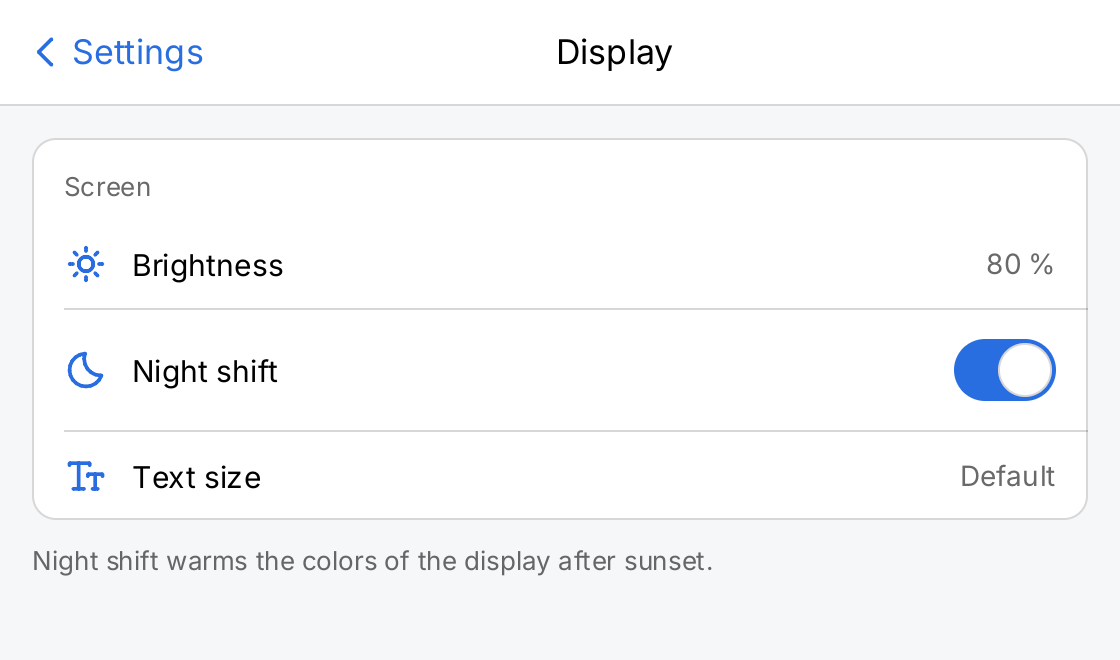
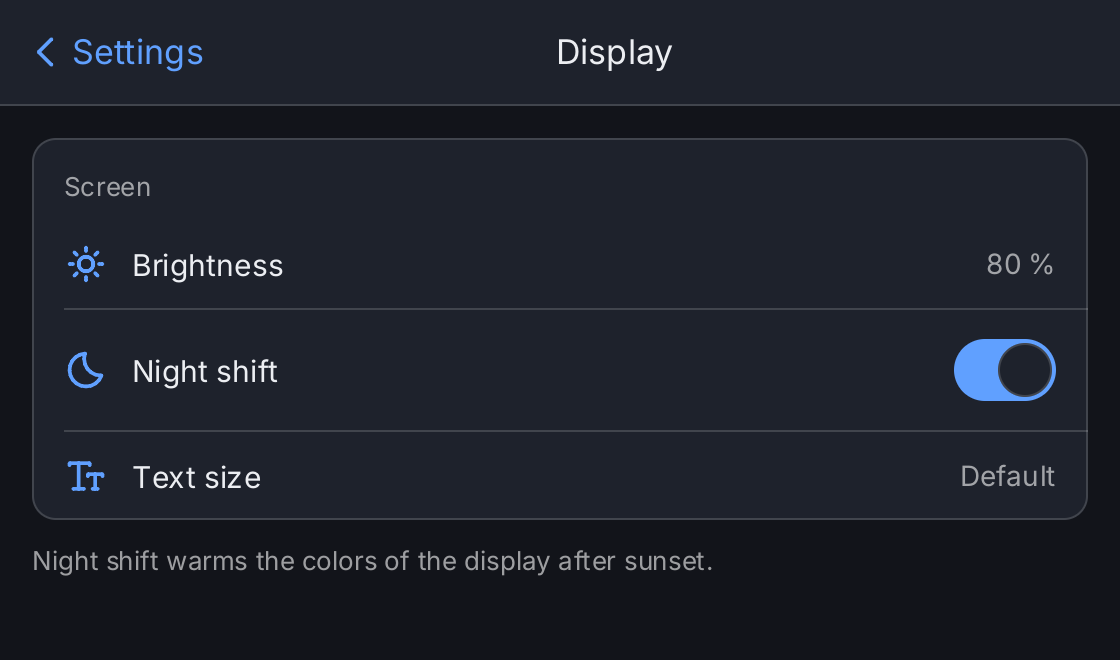
// The application owns the navigation state. Here it is the title of the
// pushed screen, or "" on the root screen. The demo starts pushed.
open := ctx.State("open", "Display")
nightShift := ctx.State("nightShift", true)

push := func(title string) func() { return func() { open.Set(title) } }

settings := ui.VScroll(
	ui.Card(
		ui.List(
			ui.Row("Display").Icon(outline.Sun).Chevron(outline.AngleRight).
				OnTap(push("Display")),
			ui.Row("Notifications").Icon(outline.Bell).Chevron(outline.AngleRight).
				OnTap(push("Notifications")),
			ui.Row("Privacy").Icon(outline.Lock).Chevron(outline.AngleRight).
				OnTap(push("Privacy")),
		),
	).Padding(0),
).Padding(16).Flex(1)

display := ui.VScroll(
	ui.Card(
		ui.List(
			ui.Row("Brightness").Icon(outline.Sun).Value("80 %"),
			ui.Row("Night shift").Icon(outline.Moon).Accessory(
				ui.Toggle(ctx.Read(nightShift), nightShift.Set).Label("Night shift"),
			),
			ui.Row("Text size").Icon(outline.TextSize).Value("Default"),
		),
	).Padding(0).Header("Screen"),
	ui.Text("Night shift warms the colors of the display after sunset.").
		FontSize(13).Foreground(ui.ColorSecondaryLabel),
).Gap(12).Padding(16).Flex(1)

// The screens are derived from the state: the root, and the pushed
// screen on top of it. A push sets the state, a pop clears it.
screens := []ui.ScreenSpec{ui.Screen("Settings", settings)}
switch ctx.Read(open) {
case "Display":
	screens = append(screens, ui.Screen("Display", display))
case "Notifications", "Privacy":
	screens = append(screens, ui.Screen(ctx.Read(open), ui.VStack(
		ui.Text("Nothing to configure.").Foreground(ui.ColorSecondaryLabel),
	).Padding(16).Align(geom.Center).Flex(1)))
}

return ui.NavigationStack(func() { open.Set("") }, screens...).
	BackIcon(outline.AngleLeft)
Full demo on GitHub ↗
· run it with go run ./docs/gallery -demo navigation-stack
Usage
Screens come from your state
ui.NavigationStack takes the back callback and the screens. ui.Screen pairs a title with the content view of
one screen. Derive the list from state on every build:
depth := ctx.State("depth", 0)

screens := []ui.ScreenSpec{ui.Screen("Inbox", inbox)}
if ctx.Read(depth) >= 1 {
	screens = append(screens, ui.Screen("Message", message))
}

return ui.NavigationStack(func() { depth.Set(depth.Get() - 1) }, screens...).
	BackIcon(outline.AngleLeft)
A push is a state change that makes the list longer, usually from the OnTap of a row or the action of a
button. There is no Push or Pop method. Because the list is yours, restoring the navigation after a restart or
opening the application on a deep screen is a matter of setting the state.
An empty list panics, and so does a Screen with a nil content view.
The back affordance is a request
The back affordance and the escape key both call onBack. Nothing changes until your callback shortens the list
and the next build runs. A screen that must not be left yet simply does not shorten it:
screens := []ui.ScreenSpec{ui.Screen("Profile", profile)}
if ctx.Read(editing) {
	screens = append(screens, ui.Screen("Edit", form))
}

return ui.NavigationStack(func() {
	if dirty.Get() {
		return // stay: the form has unsaved changes
	}
	editing.Set(false)
}, screens...)
A nil onBack keeps the affordance drawn but inert, the same choice Button makes for a nil action.
The title bar
The bar is ui.NavigationBarHeight (52 logical pixels) tall, drawn in ui.ColorSurface with a hairline in
ui.ColorSeparator below it. It shows the title of the top screen, centered. On every screen but the root, the
leading edge holds the back affordance: the title of the previous screen in ui.ColorAccent, as a button of at
least ui.ControlHitTarget on both axes with the accessible name “Back”. The root screen has no affordance, so
the root cannot be popped.
BackIcon draws a symbol before the previous title, conventionally outline.AngleLeft. Without it the affordance
is the title alone. Package ui cannot import an icon package, which is why the chevron is a parameter.
Escape
Escape calls onBack like the back affordance. It arrives when the focus is inside the stack and the focused
view does not handle escape itself, and also when nothing holds the focus, so a keyboard plugged into a kiosk
that nobody has touched still goes back. On the root screen escape does nothing, and the stack consumes the key
so it does not close something outside the stack. When stacks are nested, the inner one gets the unfocused key.
An open Modal or Sheet traps the key: while an alert is up,
escape does not reach the stack under it. A stack inside a sheet takes escape for itself, so the sheet’s
OnDismiss does not see it; close such a sheet with a button or a tap on the scrim.
There is no edge swipe gesture.
Covered screens stay mounted
A screen below the top one stays in the tree but is not painted and not hit tested. It keeps its state, its scroll offset and any half typed text, and shows them again when it is uncovered. A fling that is still moving when a screen is covered stops where it is. The cost is that every screen in your list stays alive, so a stack that grows without bound keeps every screen it ever pushed.
A popped screen is removed from the tree and loses its state. Push it again and it starts fresh.
Transitions
A push slides the new screen in from the trailing edge while the covered screen slides a full width out to the
leading edge, so the two never overlap. A pop slides the revealed screen back in from a short distance on the leading
side, 8 percent of its width, and the popped screen disappears at once: it is already unmounted and has nothing left to draw. Both
take ui.ControlAnimation (180 ms). Screens draw no background of their own; the window and the cards on them do.
Keys
Each screen is identified by its title, not by its position, so that a popped and pushed again screen is matched
correctly. Two screens with the same title in one stack need ScreenSpec.Key. A build with -tags giftdebug
rejects duplicate sibling keys; a release build matches duplicates by their position:
ui.Screen("Folder", detail(id)).Key(strconv.Itoa(id))Sizing
The stack fills the area its parent gives it and stretches the top screen to fill the space under the bar. In a
VStack give it Flex(1). Inside a Tab Bar the tab already gets the whole area and needs no flex.
API
Constructors
| Constructor | Description |
|---|---|
func NavigationStack(onBack func(), screens ...ScreenSpec) NavigationStackView | NavigationStack returns a navigation stack showing the last of screens, with a back affordance that calls onBack. |
Methods
| Method | Description |
|---|---|
BackIcon(s Symbol) NavigationStackView | BackIcon sets the symbol drawn before the previous screen’s title in the back affordance. |
Common modifiers: Flex, Key. See Modifiers.
Constructors
| Constructor | Description |
|---|---|
func Screen(title string, content gift.View) ScreenSpec | Screen describes one screen of a navigation stack. |
Common modifiers: Key. See Modifiers.
Related
- Tab Bar, the other navigation container, often around a navigation stack
- List and Row, whose chevron rows usually push a screen
- Sheet and Modal, for content that is presented over a screen instead of pushed
- Navigation, State, Animation and Kiosks
- The example kitchen sink, whose first tab is a navigation stack