Video
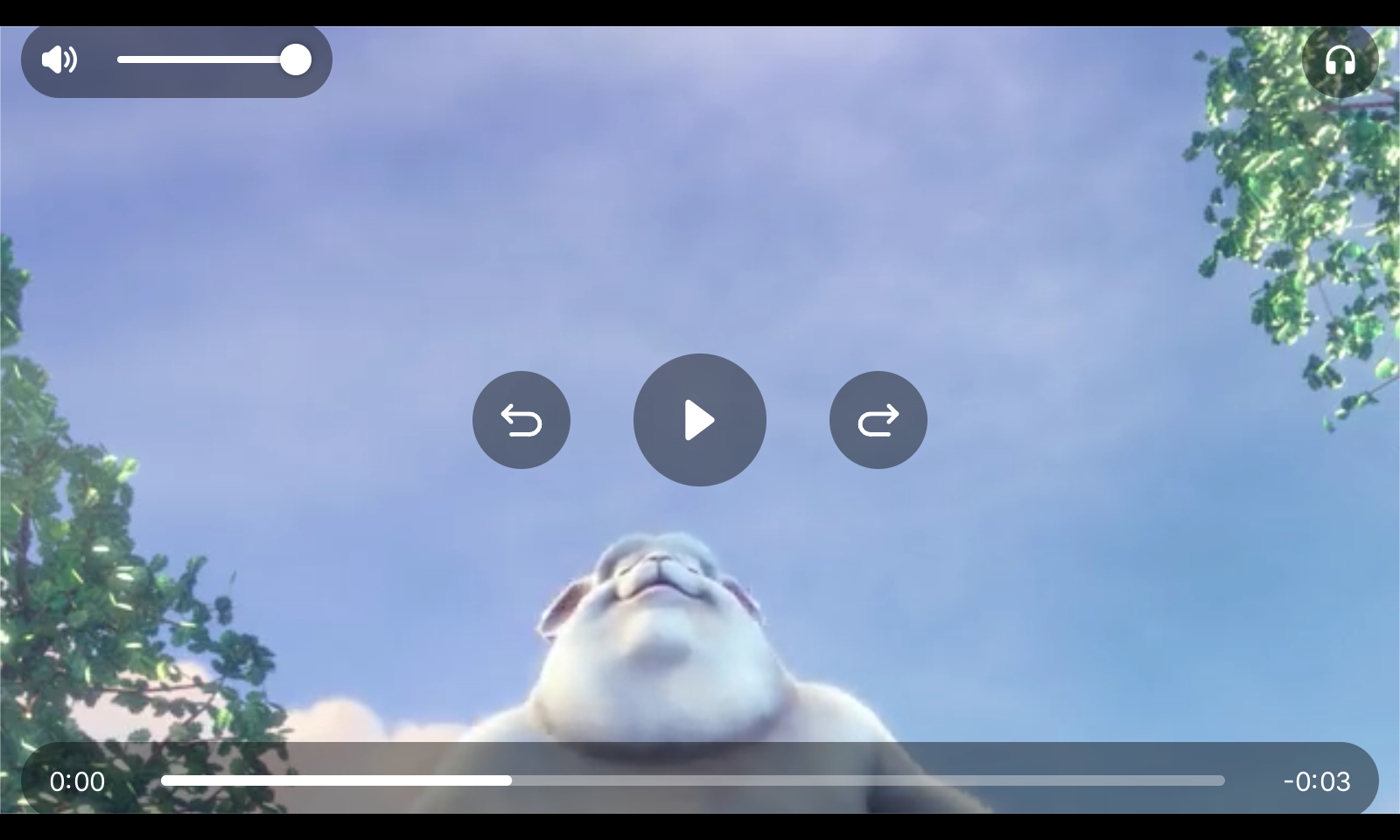
This example plays a video with sound full window, with the touch controls of the video player. It is the program to try on a Raspberry Pi with a five or seven inch touch panel: the window below has the size of a five inch panel, 800 by 480 pixels.
The player is the root view and not the content of a ui.Window, and the backend runs with DirectToScreen and
DrawOnDemand. That is what lets a Raspberry Pi 5 show full HD at 60 frames a second: a video at its own size is
converted from YUV in the pass that draws it, and nothing is drawn under it.
Run it
You need the FFmpeg libraries at run time. Raspberry Pi OS has them; on macOS, run brew install ffmpeg. From a
checkout of the repository:
go run ./cmd/example-video                          # the three second clip in video/testdata
go run ./cmd/example-video -file film.mp4 -hw       # your own, HEVC in hardware on a Raspberry Pi 5
go run ./cmd/example-video -width 1024 -height 600  # a seven inch panel
-fullscreen fills the screen, -autohide 0 keeps the controls, -loop=false stops at the end, and -stats
prints the frame rate and how the video was drawn every five seconds.
What to try
- Tap the picture to show or hide the controls. While the video plays, they hide by themselves after three seconds.
- Drag along the position bar. The picture follows your finger, and the video goes on where you lift it.
- Open the headphones menu and switch between the English stereo and the German 5.1 track of the clip.
Code
// Command example-video plays a video with sound and the touch controls of
// ui/videoplayer, full window: the program to try on a Raspberry Pi with a
// five or seven inch touch panel.
//
//	go run ./cmd/example-video                        # the clip in video/testdata
//	go run ./cmd/example-video -file movie.mp4 -hw    # your own, HEVC in hardware on a Pi 5
//	go run ./cmd/example-video -width 800 -height 480 # the size of a five inch panel
//
// It needs the FFmpeg libraries at run time, still without cgo: they are on
// Raspberry Pi OS already, and Homebrew's ffmpeg brings them to macOS.
//
// Tap the picture to show or hide the controls. The window draws straight
// into the framebuffer (backend.Config.DirectToScreen), which is what lets a
// Raspberry Pi 5 show full HD at 60 frames a second; see the project plan,
// section 25.
package main

import (
	"flag"
	"fmt"
	"os"
	"time"

	eb "github.com/hajimehoshi/ebiten/v2"

	"github.com/worldiety/gift"
	backend "github.com/worldiety/gift/backend/ebiten"
	"github.com/worldiety/gift/internal/example"
	"github.com/worldiety/gift/ui"
	"github.com/worldiety/gift/ui/videoplayer"
	"github.com/worldiety/gift/video"
)

func main() {
	file := flag.String("file", "video/testdata/bbb.mp4", "the video to play")
	hw := flag.Bool("hw", false, "decode in hardware where there is a decoder, HEVC on a Raspberry Pi 5")
	loop := flag.Bool("loop", true, "start over at the end")
	width := flag.Int("width", 1280, "window width")
	height := flag.Int("height", 720, "window height")
	full := flag.Bool("fullscreen", false, "fullscreen")
	autoHide := flag.Duration("autohide", 3*time.Second, "how long the controls stay after a touch while playing; 0 keeps them")
	stats := flag.Bool("stats", false, "print the frame rate and how the video was drawn every five seconds")
	flag.Parse()

	if err := example.LoadFont(); err != nil {
		fail(err)
	}
	p, err := video.Open(*file, video.Options{HW: *hw, Loop: *loop})
	if err != nil {
		fail(err)
	}
	defer p.Close()
	p.Play()

	// The player is the root and not the content of a ui.Window: the
	// window would fill the screen with its background under the picture,
	// a full screen pass a Raspberry Pi pays for in every frame.
	root := func(ctx *gift.Context) gift.View {
		return videoplayer.New(p).AutoHide(*autoHide)
	}
	app := gift.New(gift.Options{Root: root})
	ui.SetTheme(app, ui.DarkTheme())
	if *full {
		// gift's backend has no option for it; Ebitengine's own call is
		// the one a kiosk makes.
		eb.SetFullscreen(true)
	}
	cfg := backend.Config{
		Title:          "gift video",
		Width:          *width,
		Height:         *height,
		DirectToScreen: true,
		DrawOnDemand:   true,
	}
	if *stats {
		report(&cfg)
	}
	err = backend.Run(app, cfg)
	if err != nil {
		fail(err)
	}
}

// report prints, every five seconds, the frames drawn and the video
// operations, and how many of those were converted straight into the frame.
func report(cfg *backend.Config) {
	var r *backend.Renderer
	var last backend.RendererStats
	lastAt := time.Now()
	cfg.OnRenderer = func(rr *backend.Renderer) { r = rr }
	cfg.OnUpdate = func() error {
		if time.Since(lastAt) < 5*time.Second {
			return nil
		}
		s := r.Stats()
		el := time.Since(lastAt).Seconds()
		fmt.Printf("%.1f frames/s, %d video ops, %d of them direct\n",
			float64(s.Frames-last.Frames)/el, s.VideoOps-last.VideoOps, s.VideoDirectOps-last.VideoDirectOps)
		last, lastAt = s, time.Now()
		return nil
	}
}

func fail(err error) {
	fmt.Fprintln(os.Stderr, "example-video:", err)
	os.Exit(1)
}
View on GitHub ↗
· run it from the repository root with go run ./cmd/example-video